一、参考链接 01.ES官网
02.Spring Boot Elasticsearch 入门
03.图解 Elasticsearch 原理
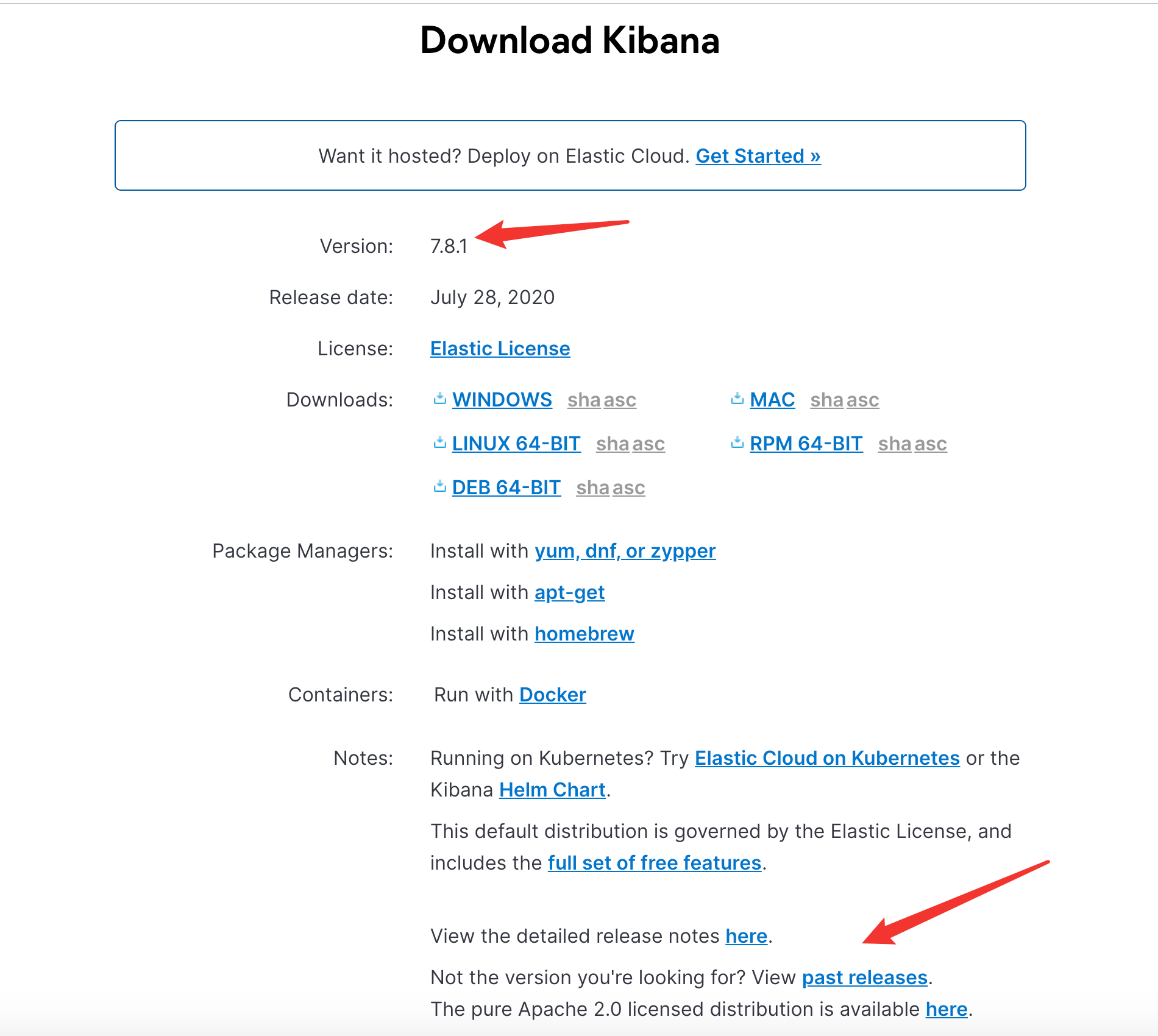
二、ElasticSearch概述 三、Solr和ElasticSearch的对比 四、ElasticSearch安装 五、Kibana安装 5.1 下载
Kibana官方下载地址
注:可以在past releases 下载老版本
5.2 运行 解压后进入bin目录运行:
在浏览器打开:
http://localhost:5601/
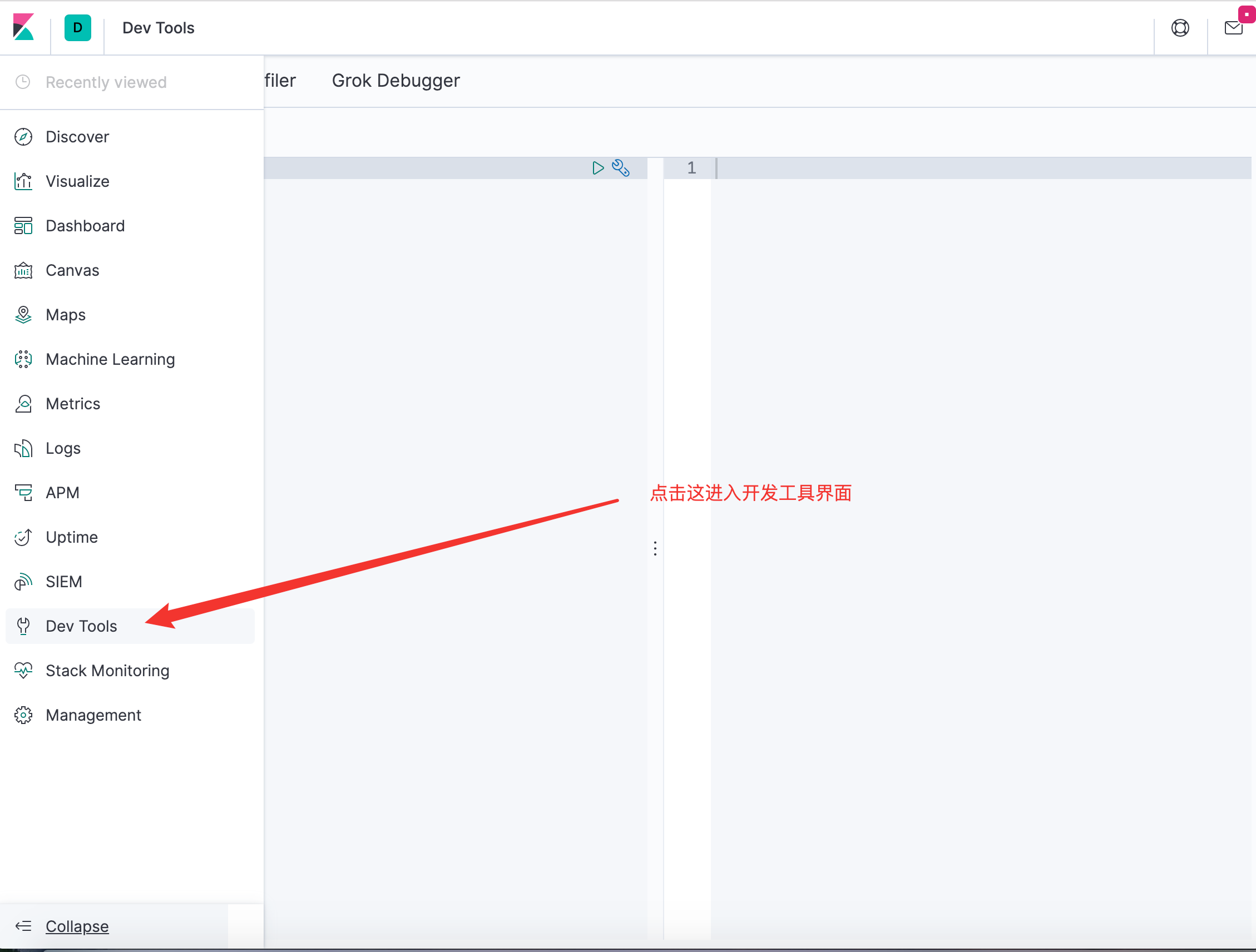
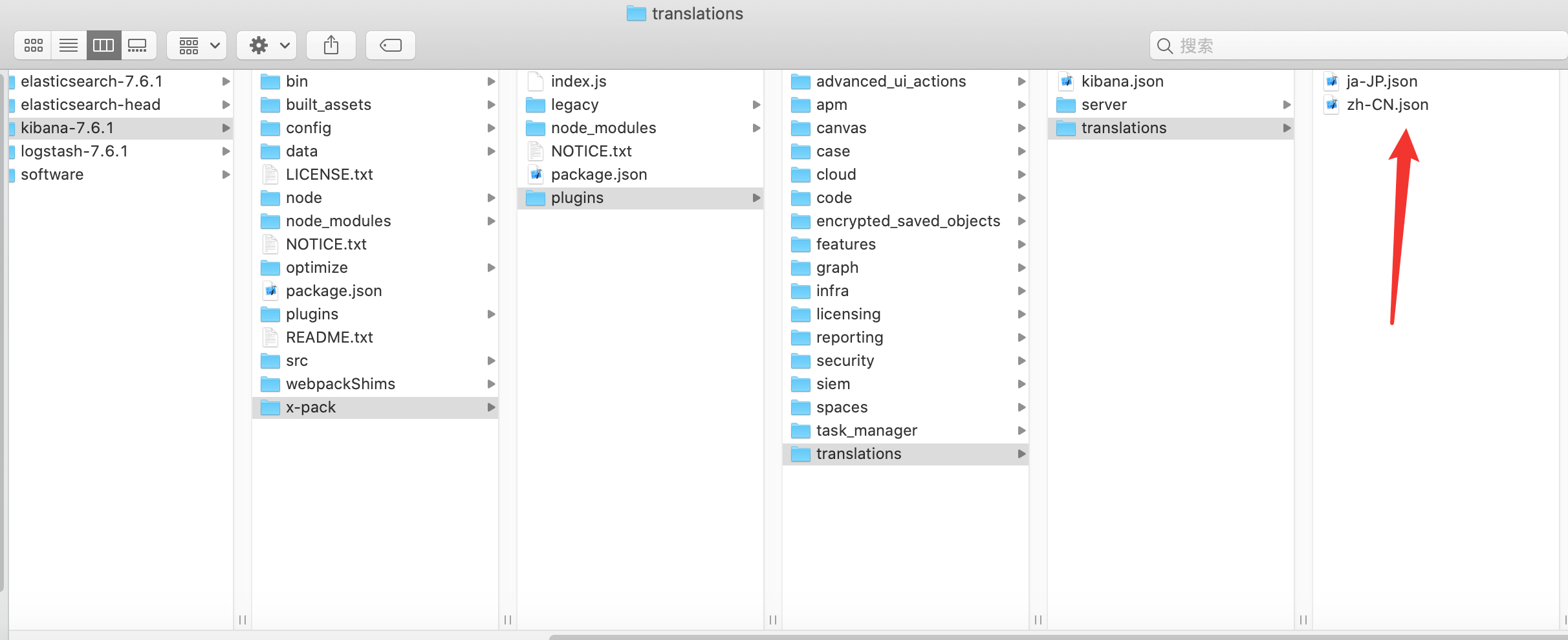
5.3 汉化
zh-CN.json是Kibana的汉化包
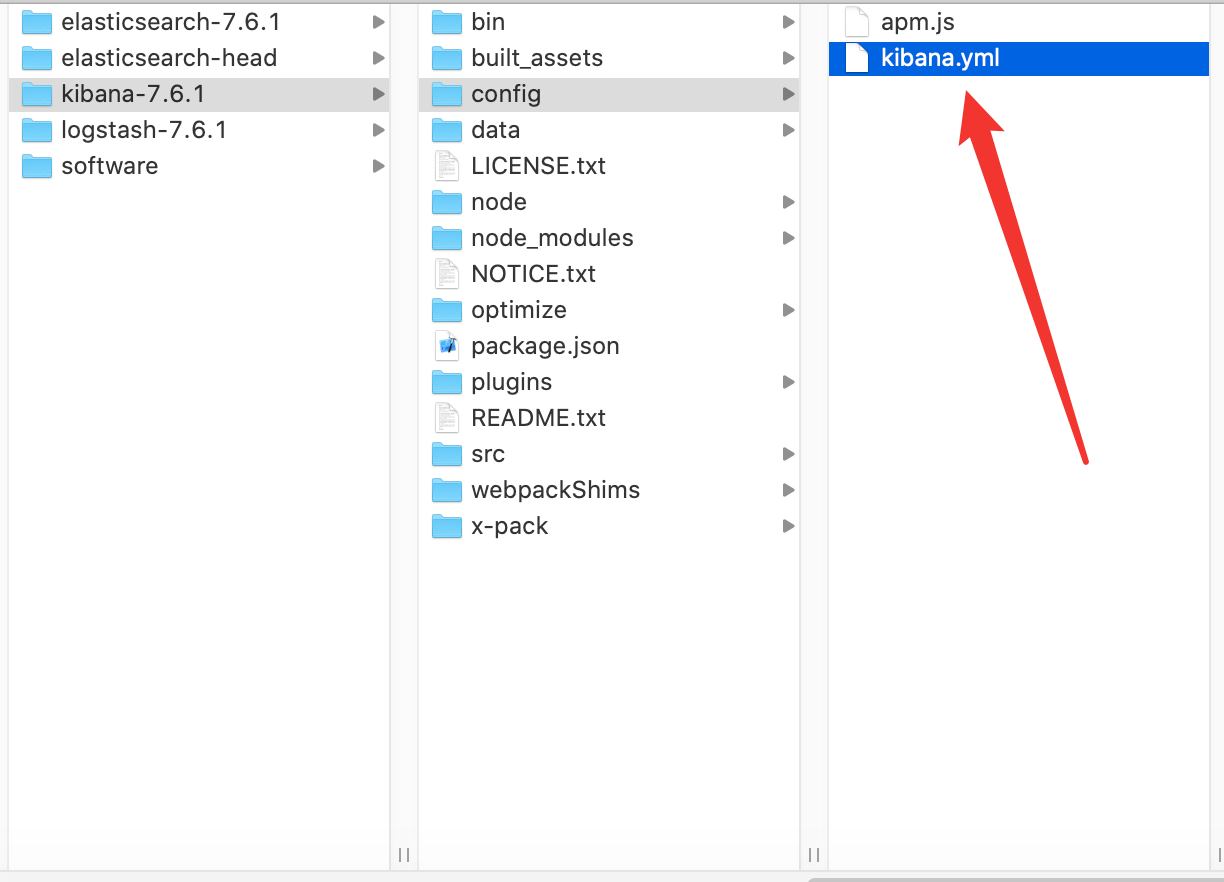
再到 kibana.yml 中加入:
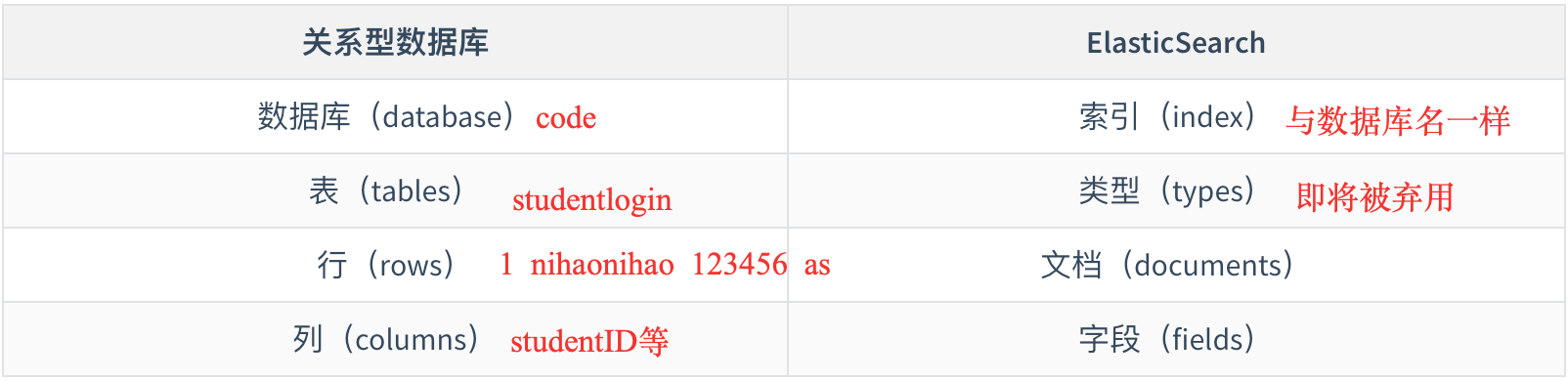
六、ElasticSearch核心概念 6.1 与关系型数据库对比
elasticsearch是面向文档,关系型数据库和 elasticsearch 客观的对比!一切都是JSON
MySQL
ElasticSearch
数据库(database)
索引(index)
表(tables)
类型(types)
ES
文档(documents)
列(columns)
字段(fields)
注:其中 types 逐渐被弃用了,8.X将被删除
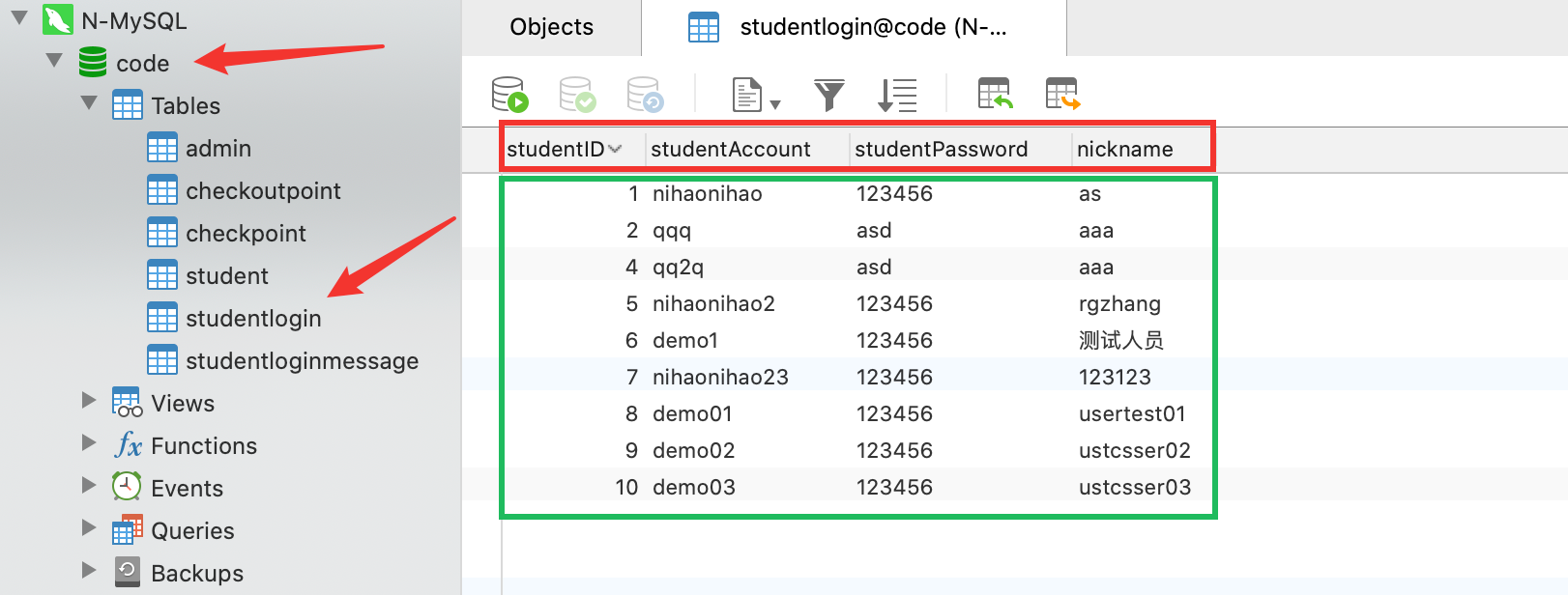
6.2 一个🌰:
对应上面数据库:
6.3 设计 elasticsearch(集群)中可以包含多个索引(数据库),每个索引中可以包含多个类型(表),每个类型下又包含多个文档(行),每个文档中又包含多个字段(列)。
物理设计:
elasticsearch 在后台把每个索引划分成多个分片,每分分片可以在集群中的不同服务器间迁移
一个人就是一个集群!默认的集群名称就是 elaticsearh
参考以下:
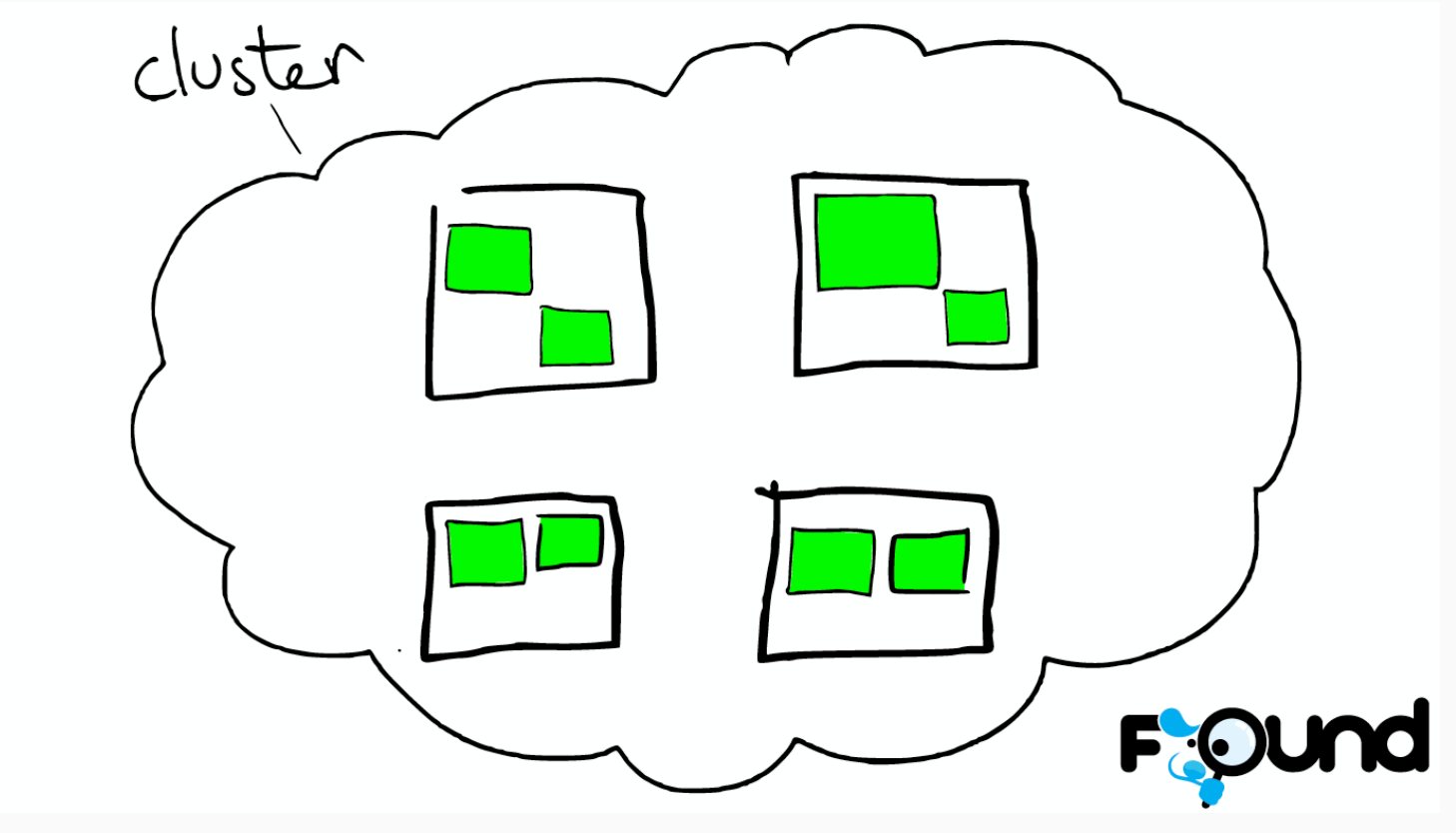
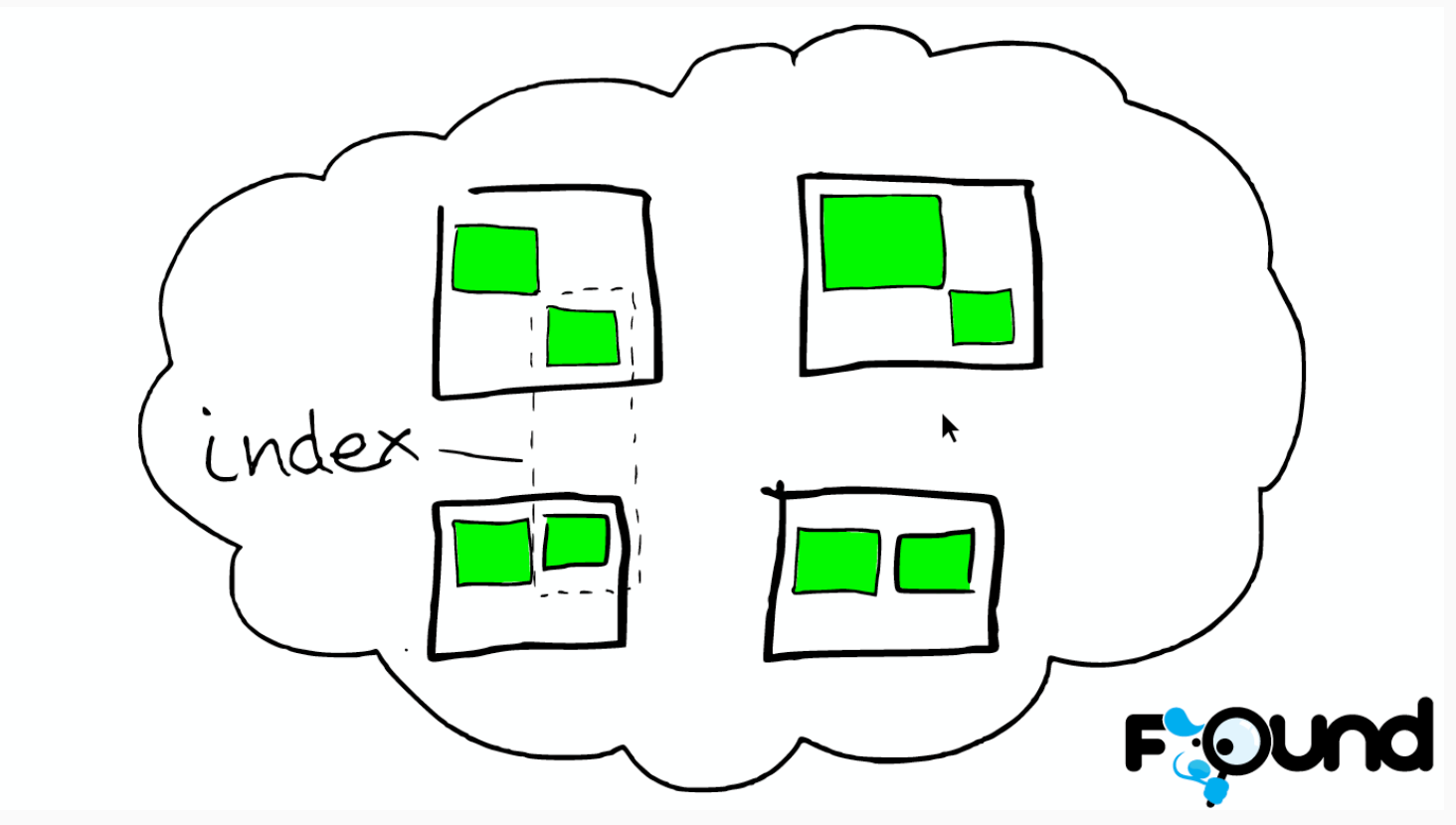
云上的集群
集群里的盒子
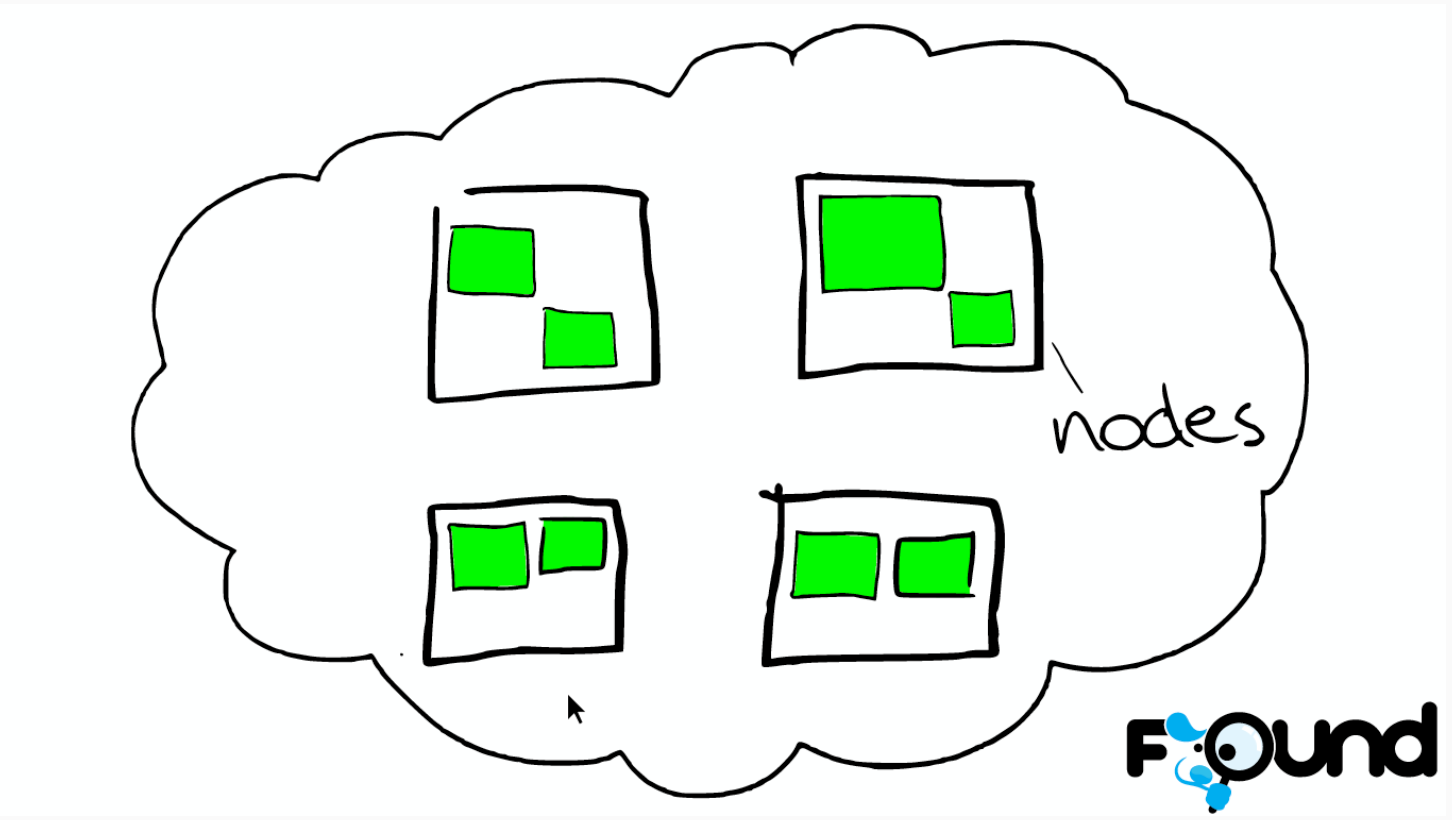
节点之间
索引里的小方块
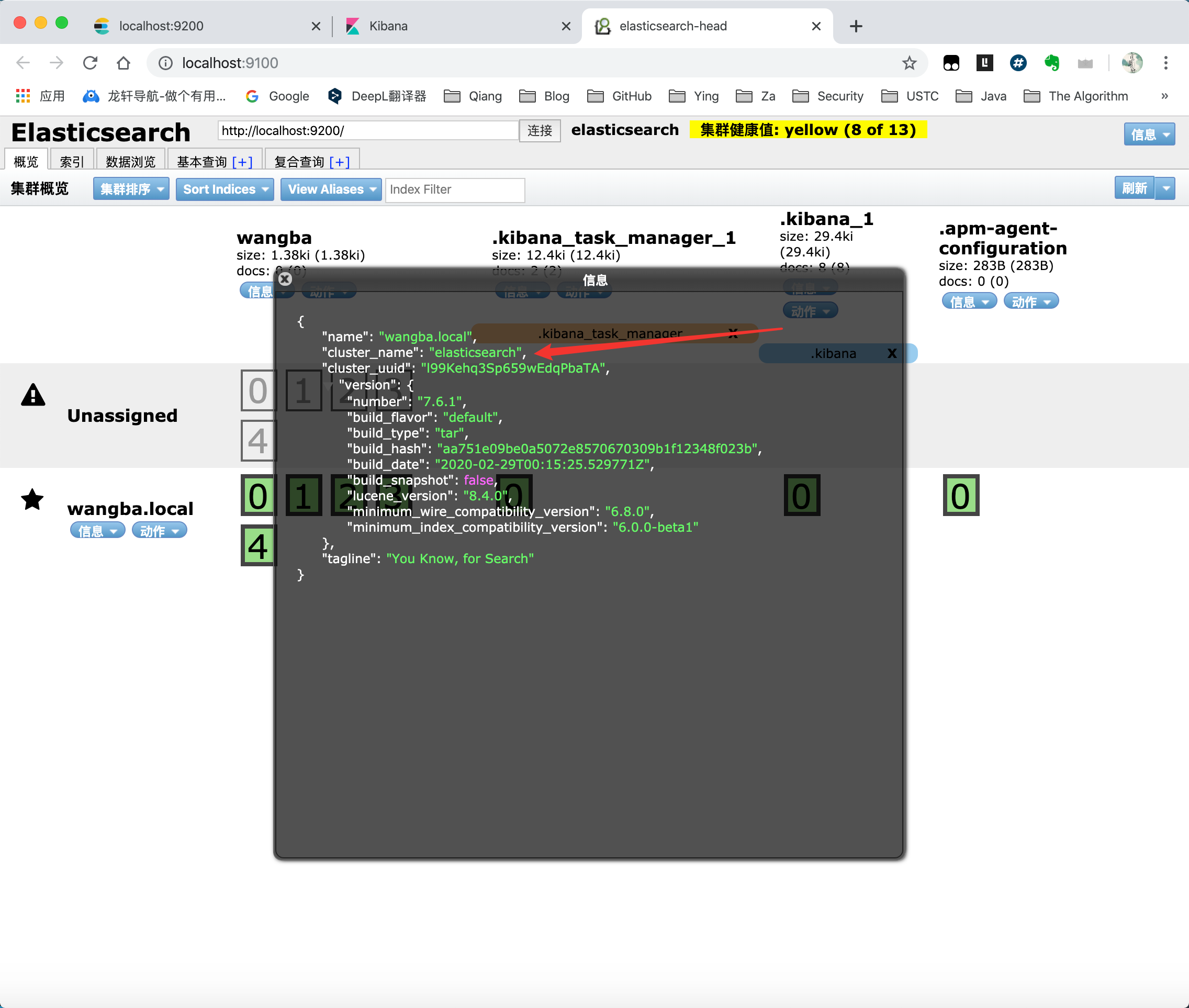
在 ElasticSearch head 中可以看见默认集群的名字为:elasticsearch
逻辑设计:
一个索引类型中,包含多个文档,比如说文档1,文档2。 当我们索引一篇文档时,可以通过这样的顺序找到它:
索引 ----> 类型 ----> 文档ID
通过这个组合我们就能索引到某个具体的文档。 注意:ID不必是整数,实际上它是个字符串。
6.4 文档 就是我们的一条数据
之前说elasticsearch是面向文档的,那么就意味着索引和搜索数据的最小单位是文档,elasticsearch 中,文档有几个重要属性 :
自我包含,一篇文档同时包含字段和对应的值,也就是同时包含 key:value!
可以是层次型的,一个文档中包含自文档,复杂的逻辑实体就是这么来的!就是一个json对象!
灵活的结构,文档不依赖预先定义的模式,我们知道关系型数据库中,要提前定义字段才能使用, 在elasticsearch中,对于字段是非常灵活的,有时候,我们可以忽略该字段,或者动态的添加一个新的字段。
尽管我们可以随意的新增或者忽略某个字段,但是,每个字段的类型非常重要,比如一个年龄字段类型,可以是字符串也可以是整型。因为elasticsearch会保存字段和类型之间的映射及其他的设置。这种映射具体到每个映射的每种类型,这也是为什么在elasticsearch中,类型有时候也称为映射类型 。
6.5 类型 类型是文档的逻辑容器,就像关系型数据库一样,表格是行的容器。 类型中对于字段的定义称为映射, 比如 name 映射为字符串类型。 我们说文档是无模式的,它们不需要拥有映射中所定义的所有字段, 比如新增一个字段,那么elasticsearch是怎么做的呢?elasticsearch会自动的将新字段加入映射,但是这个字段的不确定它是什么类型,elasticsearch就开始猜,如果这个值是18,那么elasticsearch会认为它是整型。 但是elasticsearch也可能猜不对, 所以最安全的方式就是提前定义好所需要的映射,这点跟关系型数据库殊途同归了,先定义好字段,然后再使用。
6.6 索引 就是数据库
索引是映射类型的容器,elasticsearch中的索引是一个非常大的文档集合。索引存储了映射类型的字段和其他设置。 然后它们被存储到了各个分片上了。 我们来研究下分片是如何工作的。
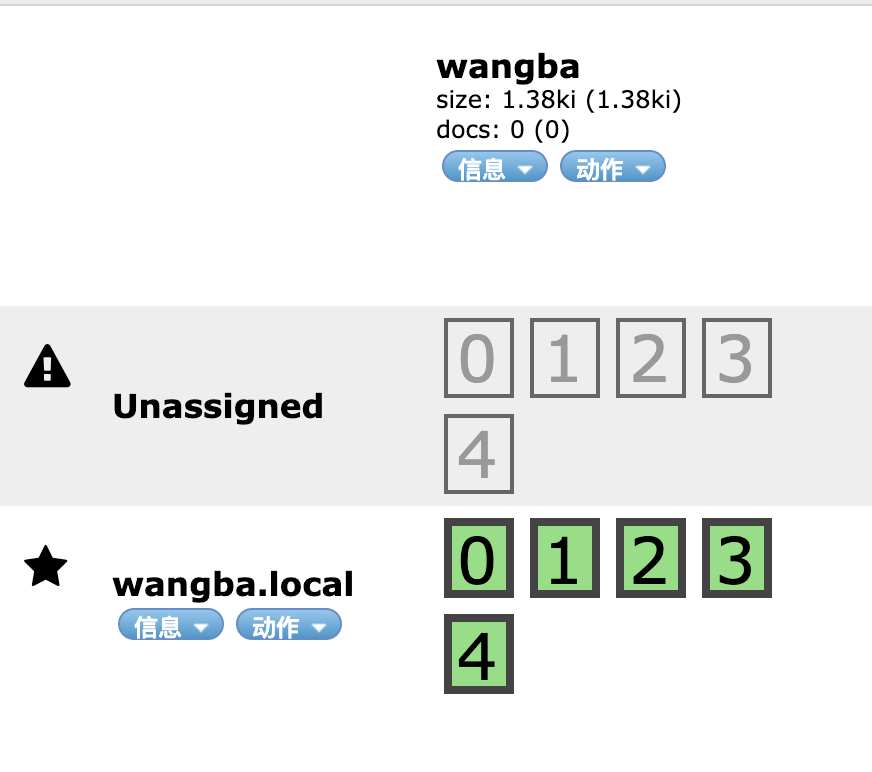
一个集群至少有一个节点,而一个节点就是一个elasricsearch进程,节点可以有多个索引默认的,如果你创建索引,那么索引将会有个5个分片 ( primary shard ,又称主分片 ) 构成的,每一个主分片会有一个副本 ( replica shard ,又称复制分片 )
在 ElasticSearch head 中可以看见刚建立的索引是5个分片:
6.7 倒排 elasticsearch使用的是一种称为倒排索引的结构,采用Lucene倒排索作为底层。这种结构适用于快速的全文搜索, 一个索引由文档中所有不重复的列表构成,对于每一个词,都有一个包含它的文档列表。 例 如,现在有两个文档, 每个文档包含如下内容:
Study every day, good good up to forever # 文档1包含的内容
为了创建倒排索引,我们首先要将每个文档拆分成独立的词(或称为词条或者tokens),然后创建一个包含所有不重 复的词条的排序列表,然后列出每个词条出现在哪个文档
term
doc_1
doc_2
Study
√
X
To
X
√
every
√
√
forever
√
√
day
√
√
study
X
√
good
√
√
every
√
√
to
√
X
up
√
√
现在,我们试图搜索 to forever,只需要查看包含每个词条的文档 score
term
doc_1
doc_2
to
√
X
forever
√
√
total
2
1
如果没有别的条件,现在,这两个包含关键字的文档都将返回。
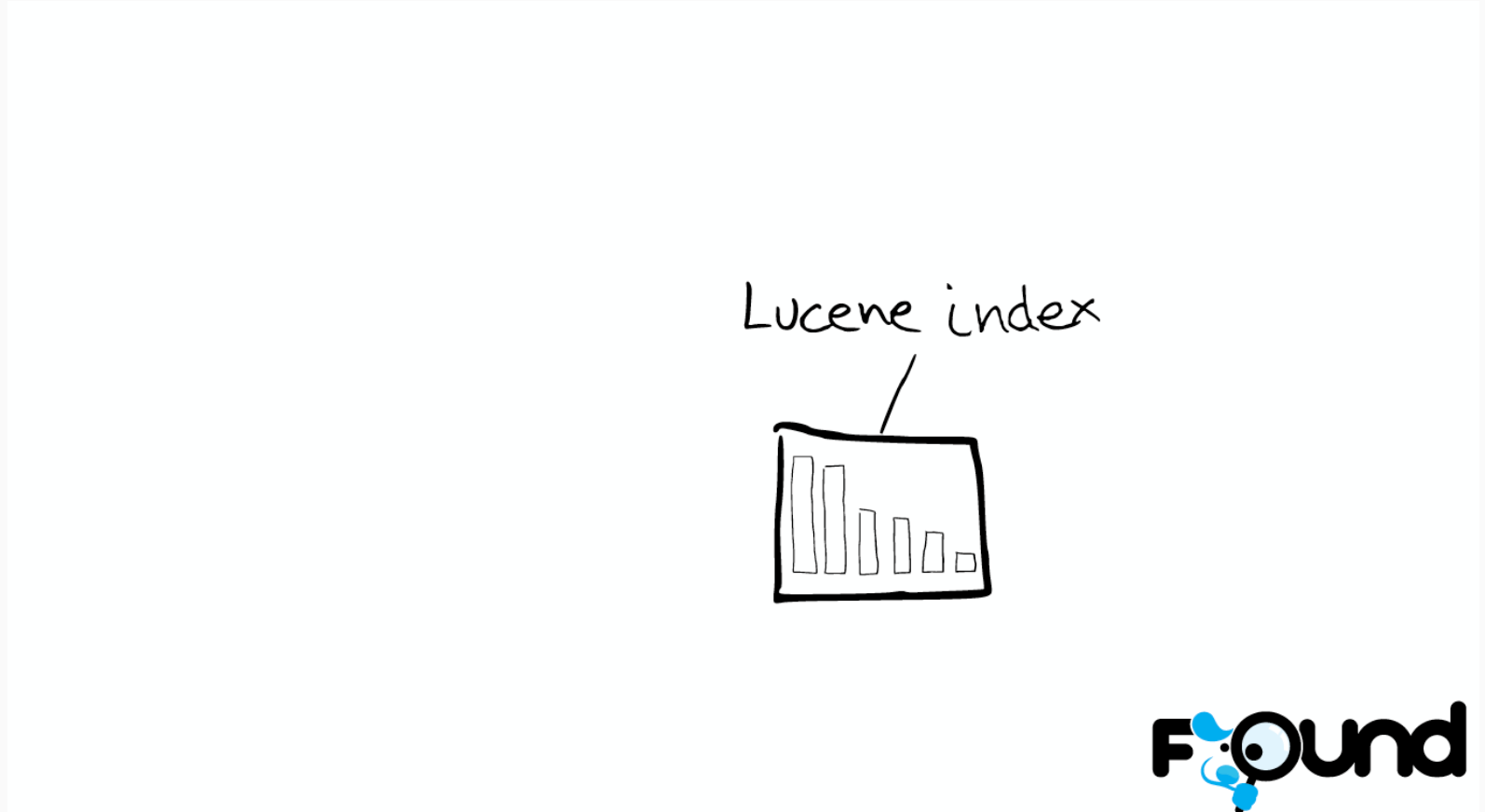
在elasticsearch中, 索引 (库)这个词被频繁使用,这就是术语的使用。 在elasticsearch中,索引被分为多个分片,每份分片是一个Lucene的索引。所以一个elasticsearch索引是由多个Lucene索引组成的。别问为什么,谁让elasticsearch使用Lucene作为底层呢! 如无特指,说起索引都是指elasticsearch 的索引。
关系图:
一个 ES 索引 —–> 多个分片(shard)
一个分片(shard) —–> 一个 Lucene 索引
一个 ES 索引 —–> —–> 多个 Lucene 索引
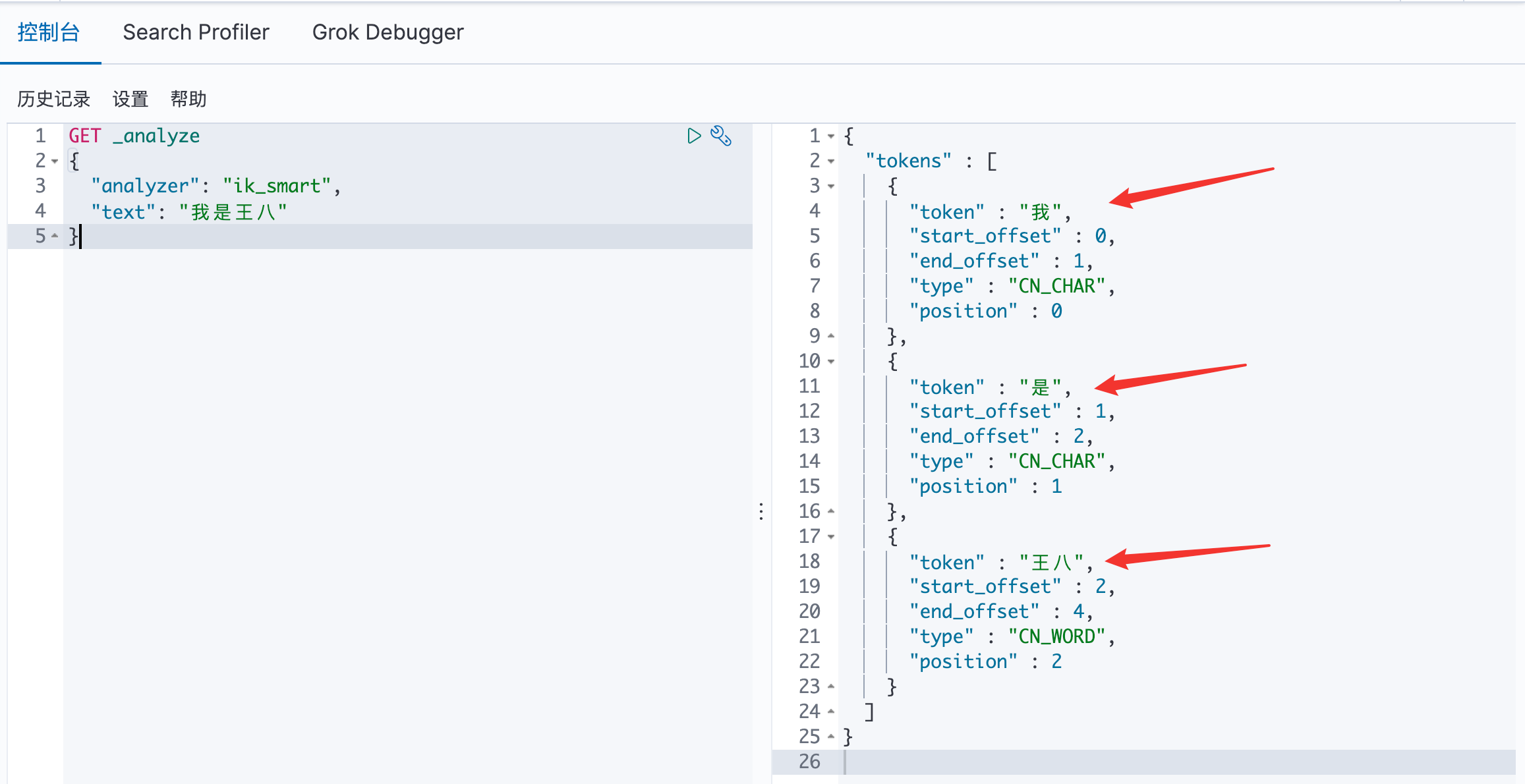
七、IK分词器 7.1 分词 分词:即把一段中文或者别的划分成一个个的关键字,我们在搜索时候会把自己的信息进行分词,会把数据库中或者索引库中的数据进行分词,然后进行一个匹配操作,默认的中文分词是将每个字看成一个 词,比如 “我是王八” 会被分为”我”、“是”、“王”、“八”,这显然是不符合要求的,所以我们需要安装中文分词器 IK 来解决这个问题。
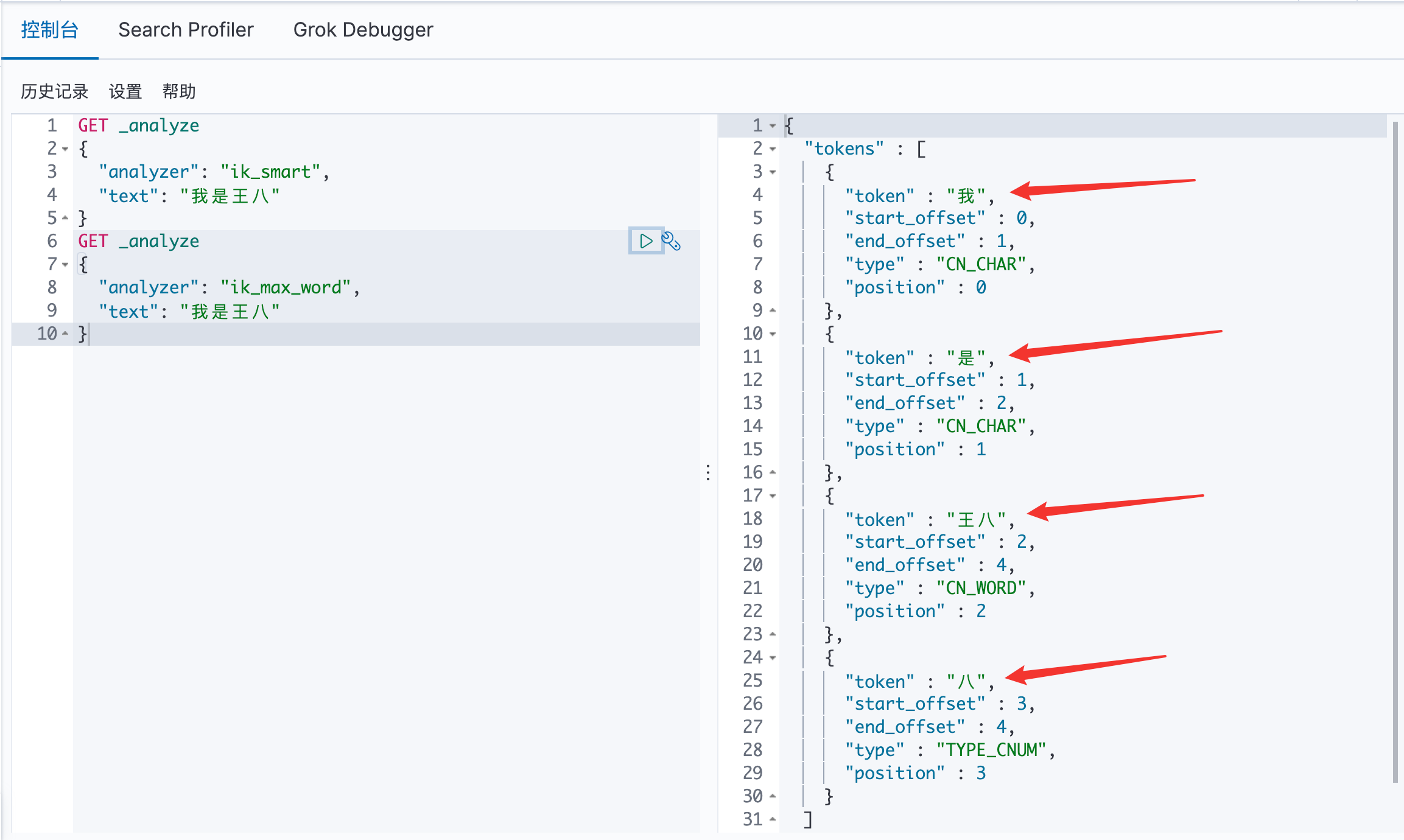
IK 提供了两个分词算法:ik_smart 和 ik_max_word,其中 ik_smart 为最少切分,ik_max_word为最细粒度划分!
7.2 下载安装 下载地址:IK 分词器下载
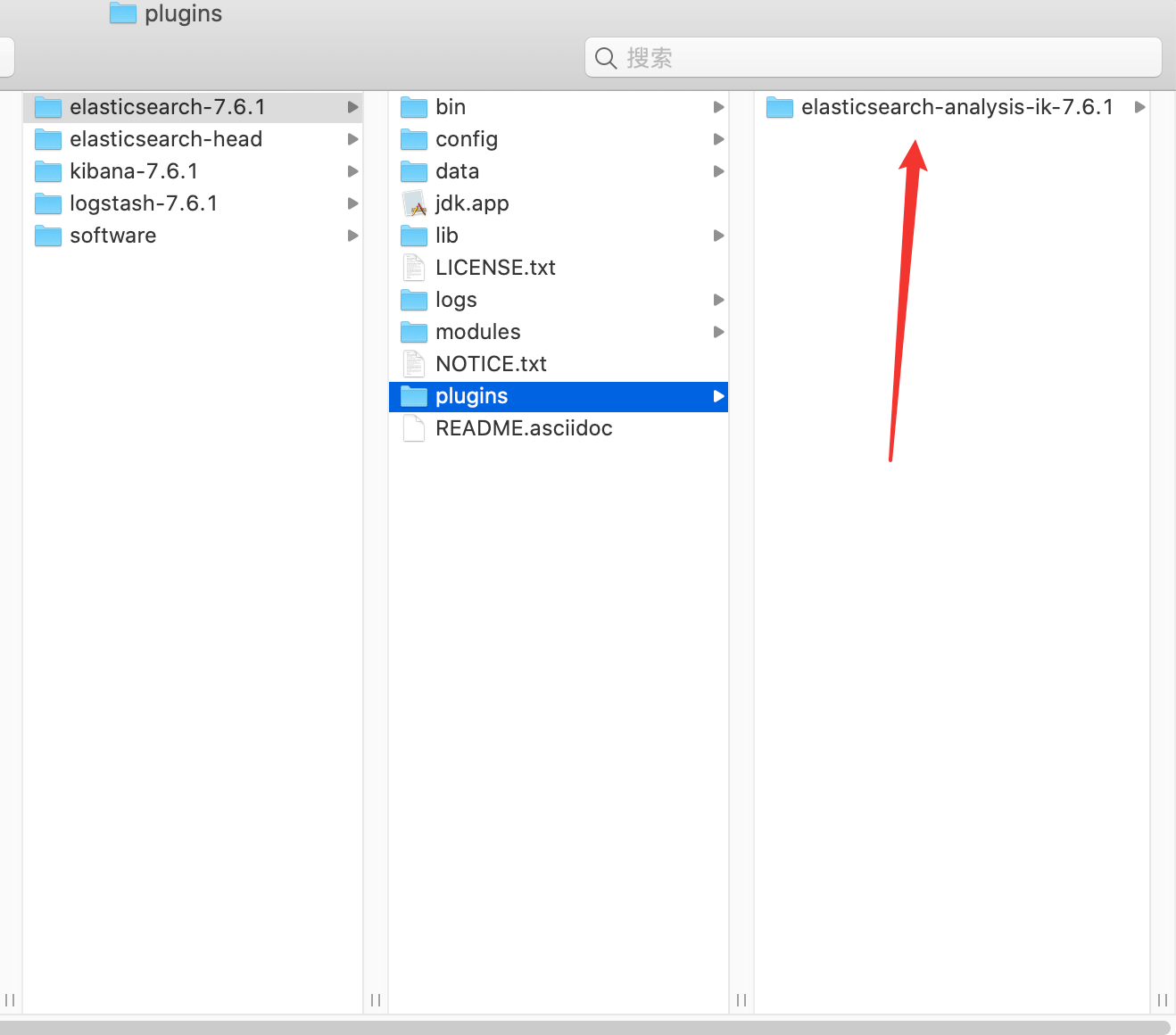
安装:解压后放入 plugins 文件夹下
重启 ElasticSearch :看到 IK 分词器已经加载到 ES 里面了
7.3 IK 分词器的小🌰: 使用 ik_smart 算法: 最少切分
使用 ik_max_word 算法: 最细粒度划分:通过字典,找寻所有符合的情况
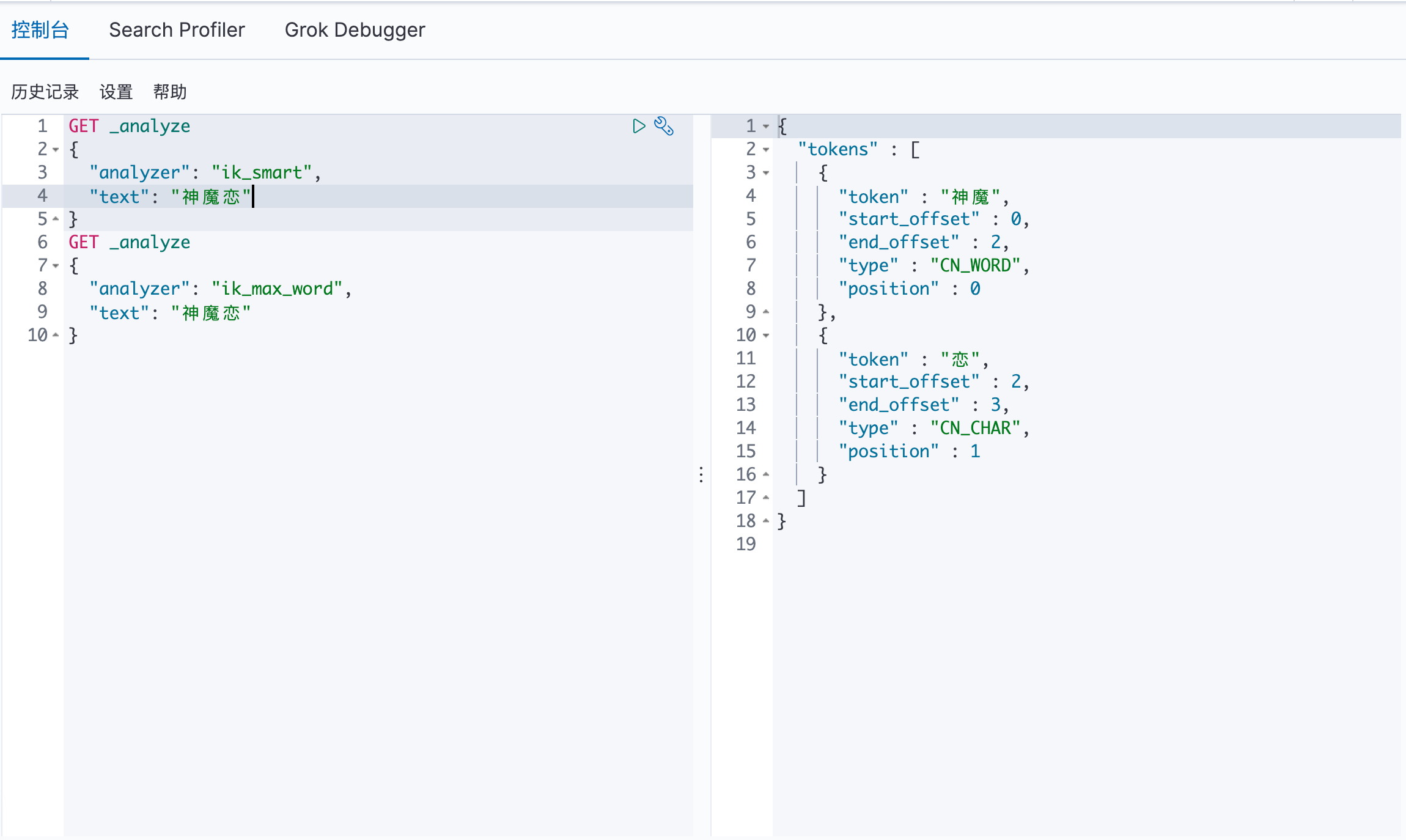
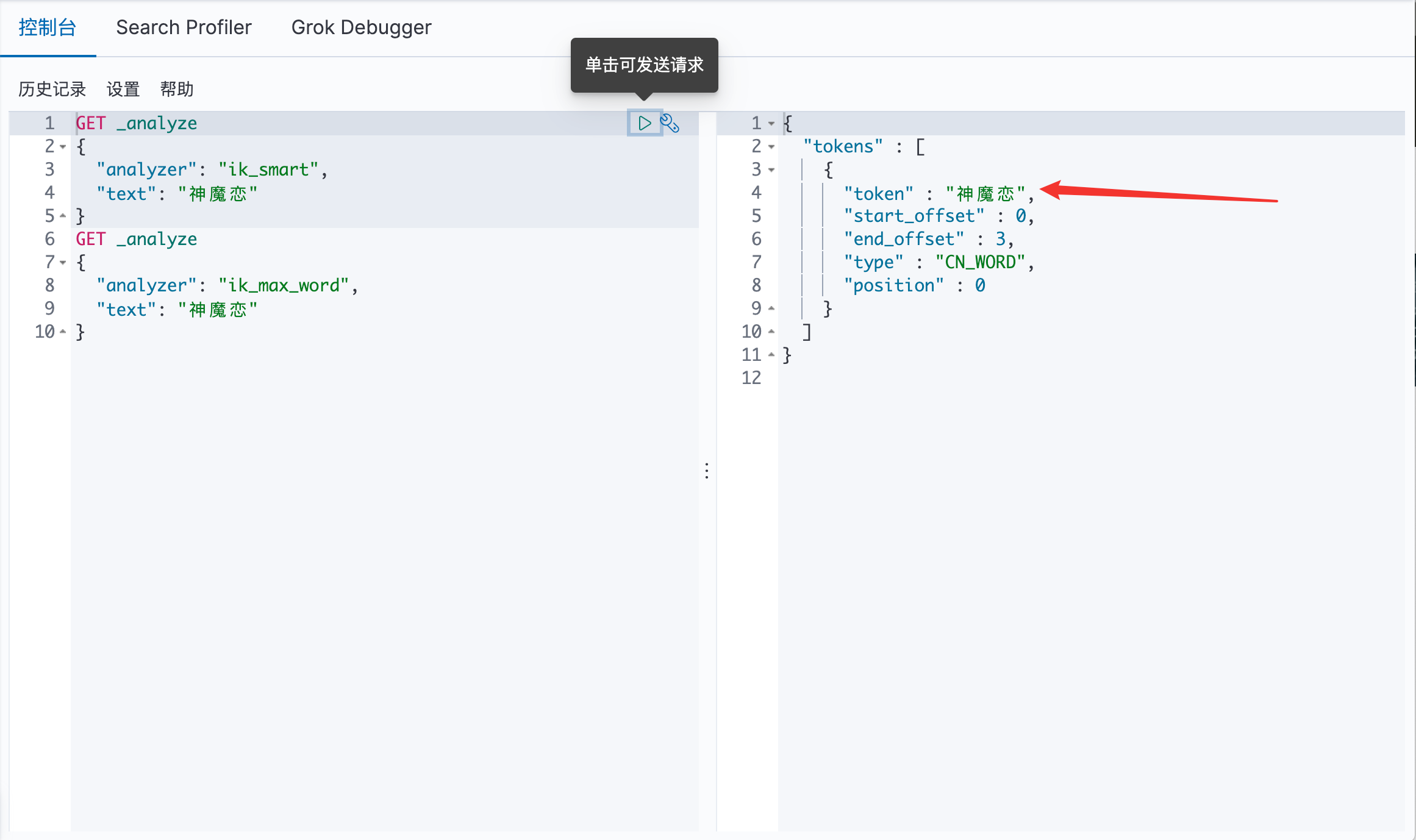
7.4 自行 DIY 字典 在出现以下情况时:我们需要的是 神魔恋 应该是一个词语,而不应该被分词为 神魔 与 恋
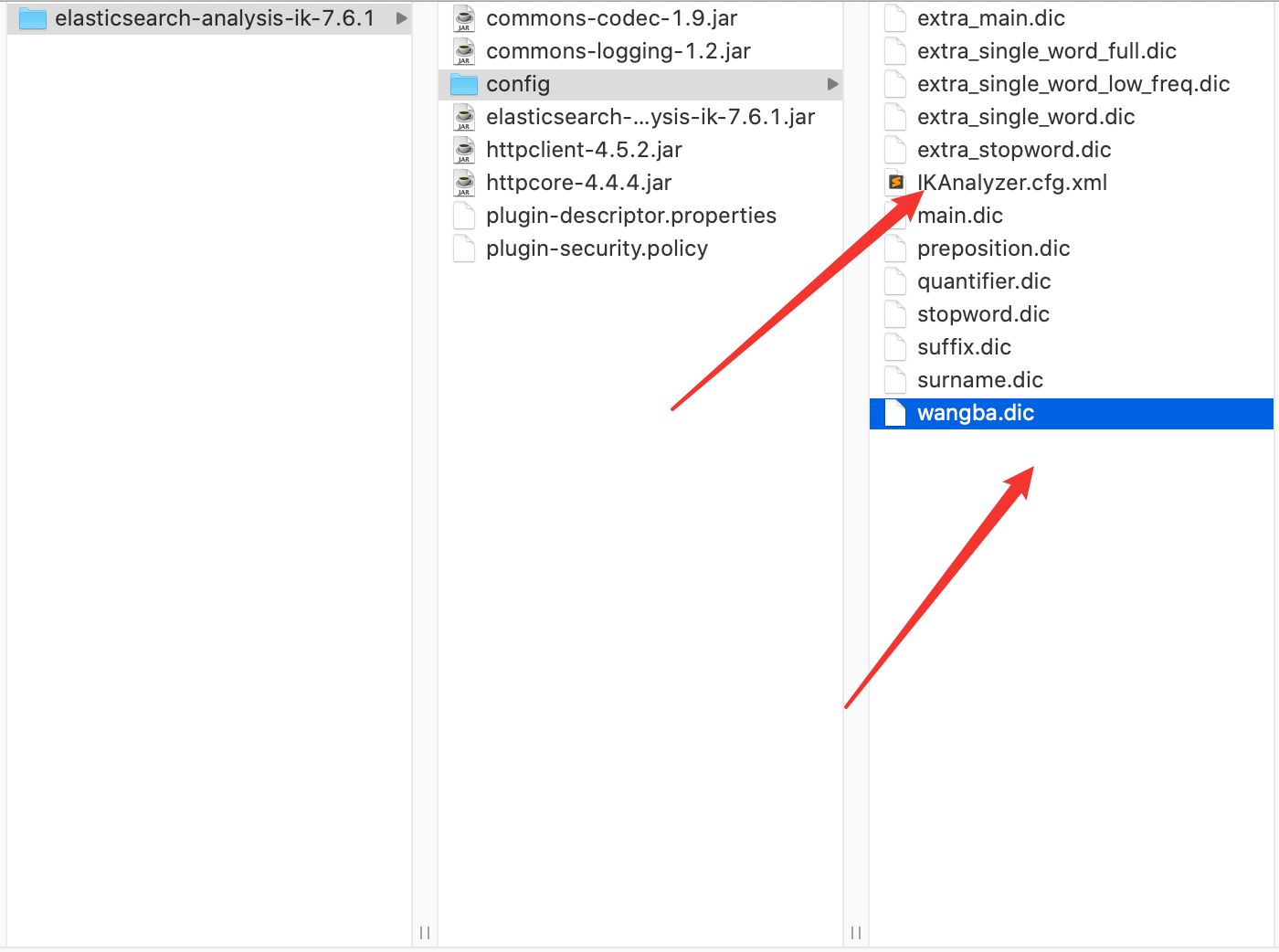
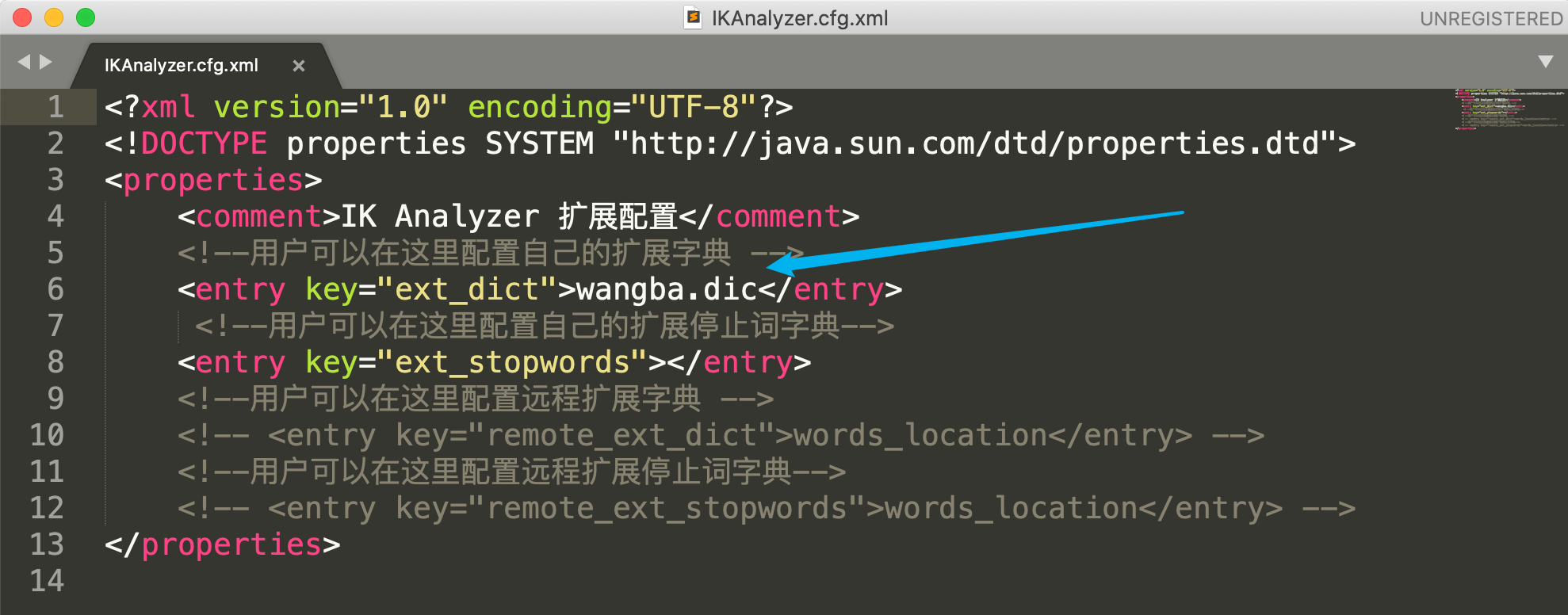
在 IK 的 config 目录下,配置 wangba.dic 和 IKAnalyzer.cfg.xml 如下:
IKAnalyzer.cfg.xml:
wangba.dic:
重启 ES 和 Kibana:已经可以看见 wangba.dic 已经加载进去了
此时在Kibana中可以看见:此时 神魔恋 已经是一个词了
八、Rest风格 8.1 Rest命令说明说明 一种软件架构风格,而不是标准,只是提供了一组设计原则和约束条件。它主要用于客户端和服务器交 互类的软件。基于这个风格设计的软件可以更简洁,更有层次,更易于实现缓存等机制。
基本Rest命令说明:
method url地址
描述
PUT
localhost:9200/索引名称/类型名称/文档id
创建文档(指定文档id)
POST
localhost:9200/索引名称/类型名称
创建文档(随机文档id)
_update
localhost:9200/索引名称/类型名称/文档id/_update
修改文档
DELETE
localhost:9200/索引名称/类型名称/文档id
删除文档
GET
localhost:9200/索引名称/类型名称/文档id
查询文档通过文档id
POST
localhost:9200/索引名称/类型名称/_search
查询所有数据
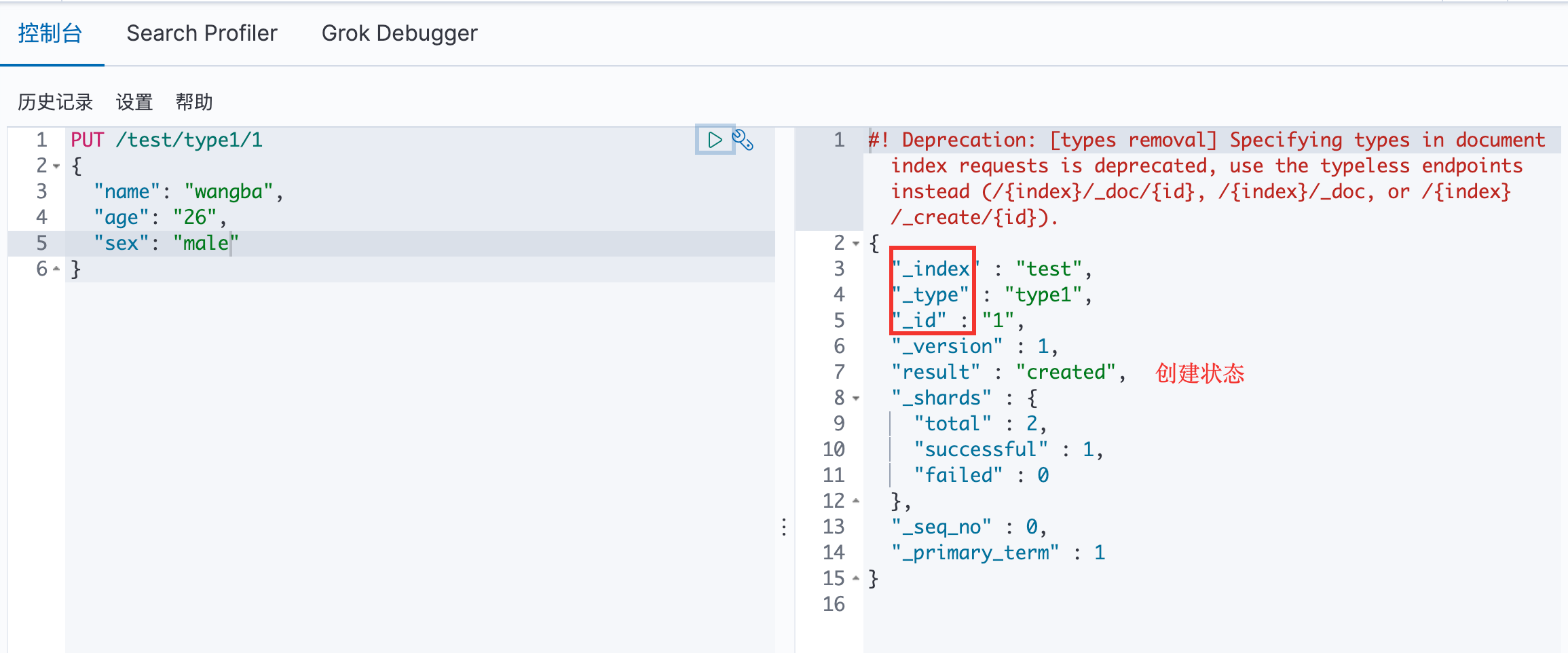
8.2 基本测试 创建索引:
PUT /索引名称/类型名称
{
请求体
}
注:类型即将被弃用
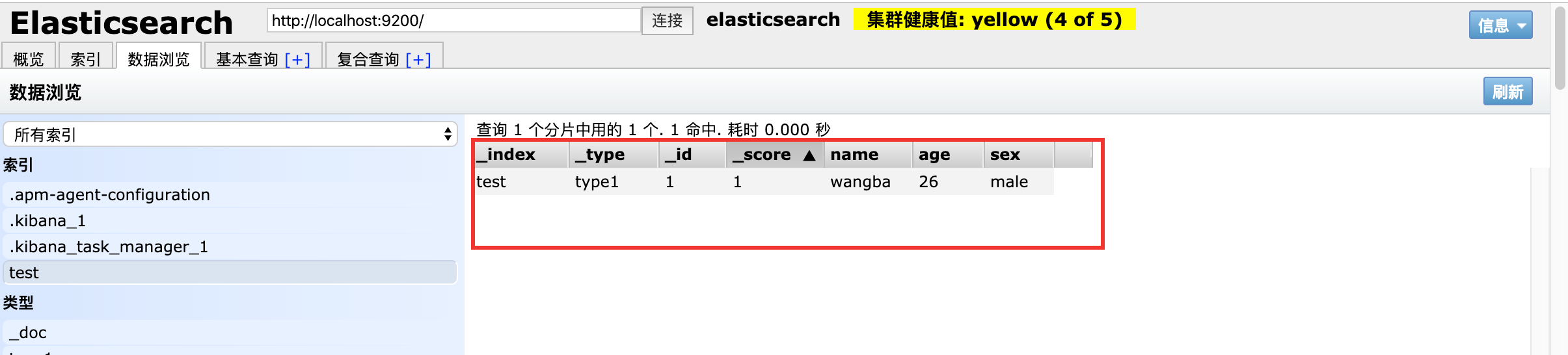
在 ES head 中可以看见数据已经插入成功:
8.3 类型
字符串类型 text 、 keyword
数值类型 long、integer、 short、byte、double、float、half_float、 scaled_float
日期类型 date
布尔值类型 boolean
二进制类型 binary
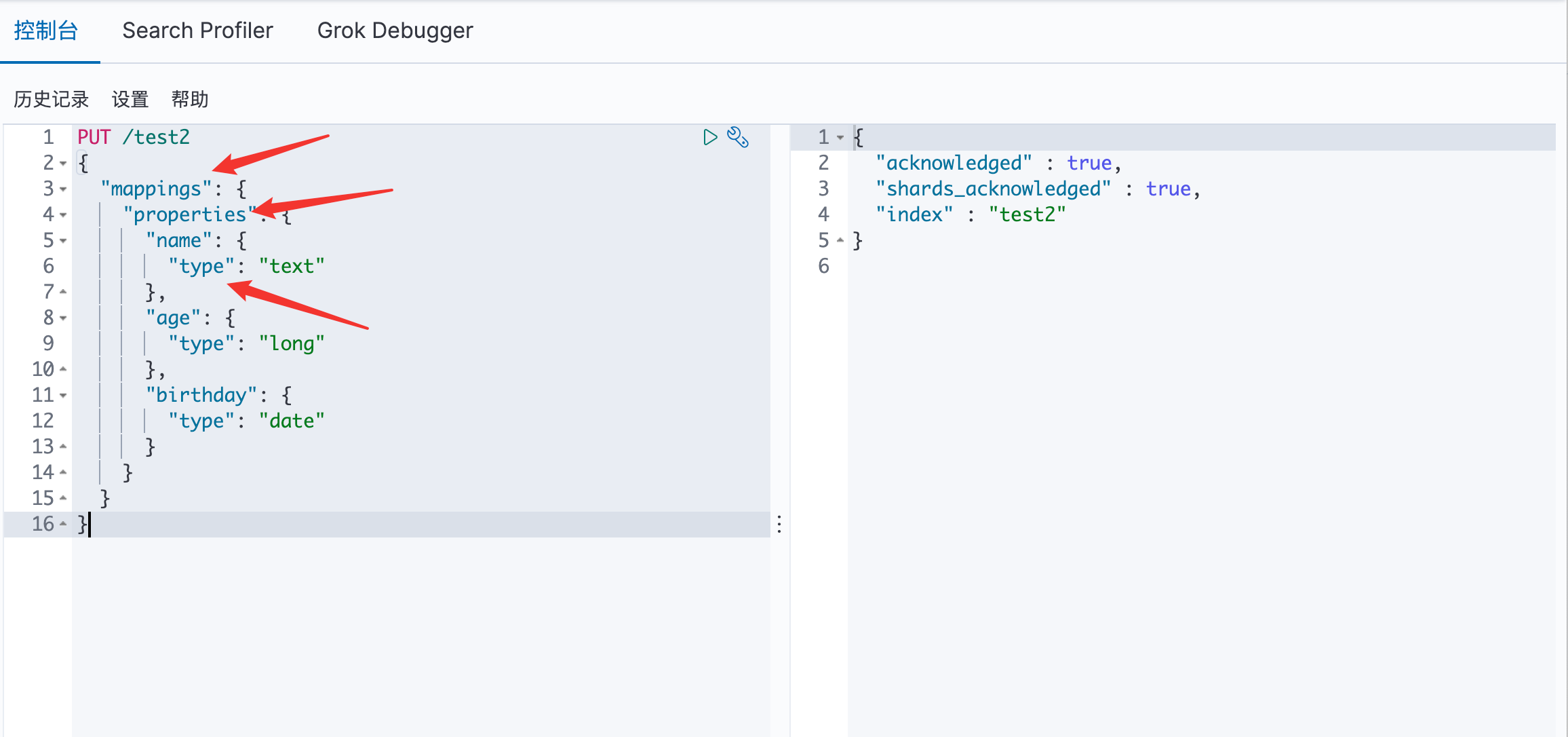
自定义类型:
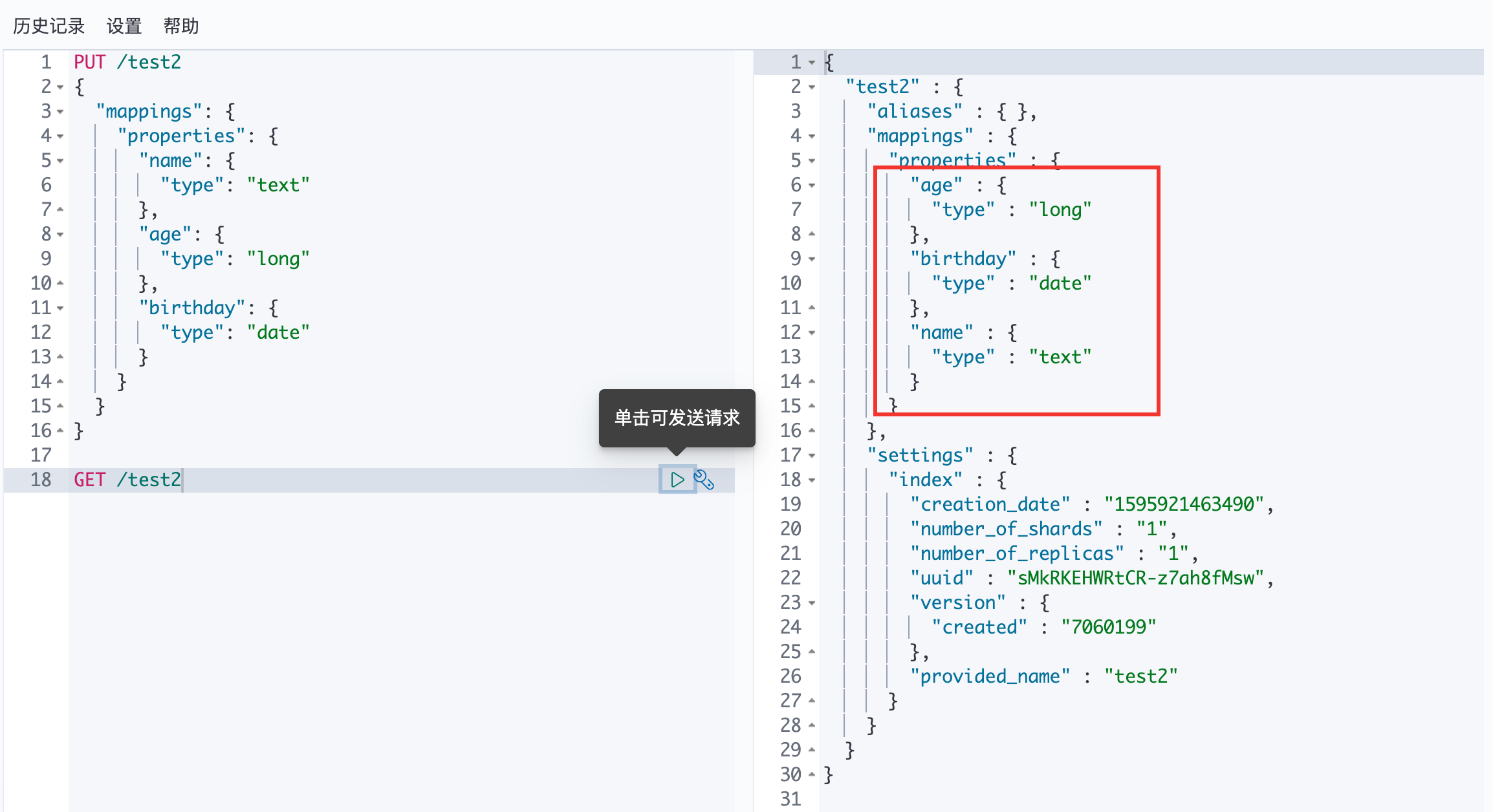
通过 GET 请求可以看见 test2 索引的信息:
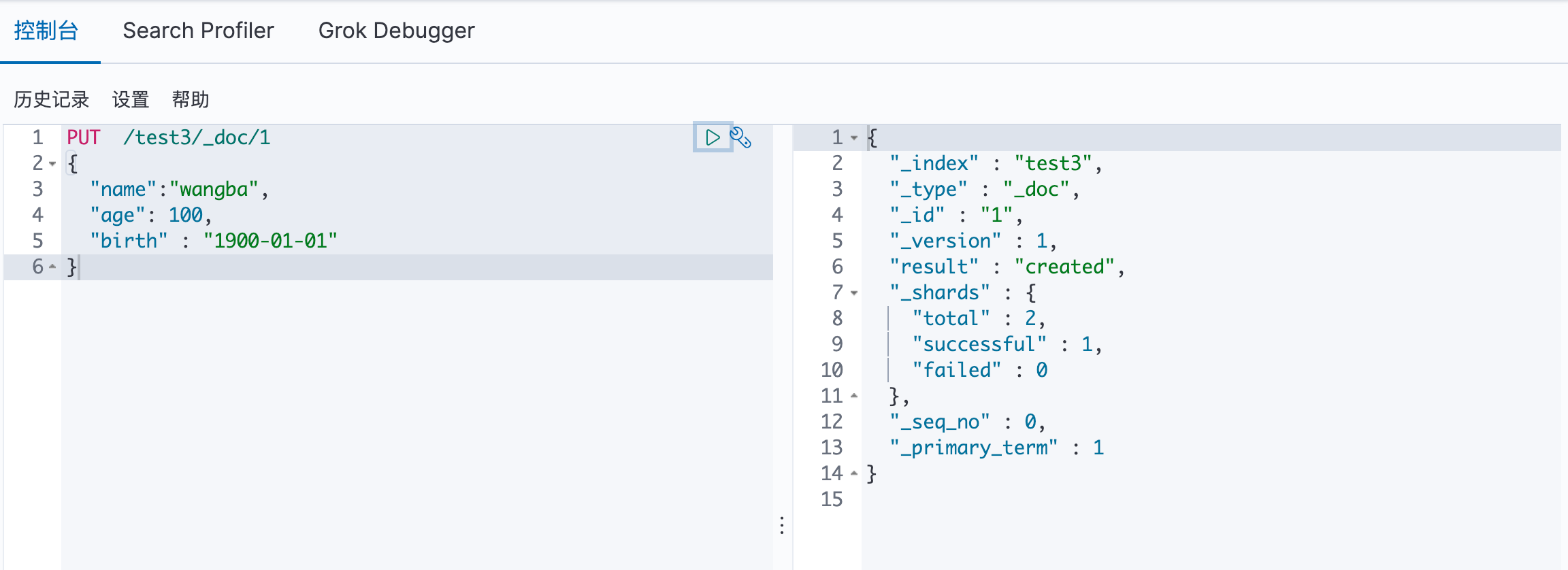
自动匹配类型:
8.4 关于索引的基本操作
增加:如上
查询:如上
修改:如下
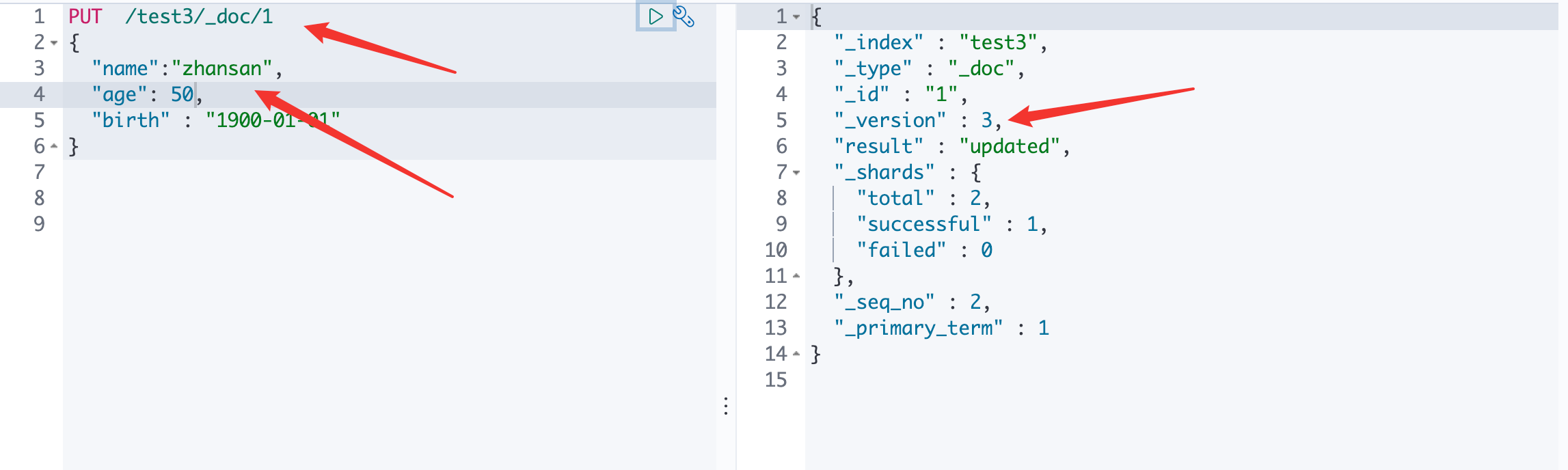
方法一:直接覆盖
可以看见 version 发生了改变
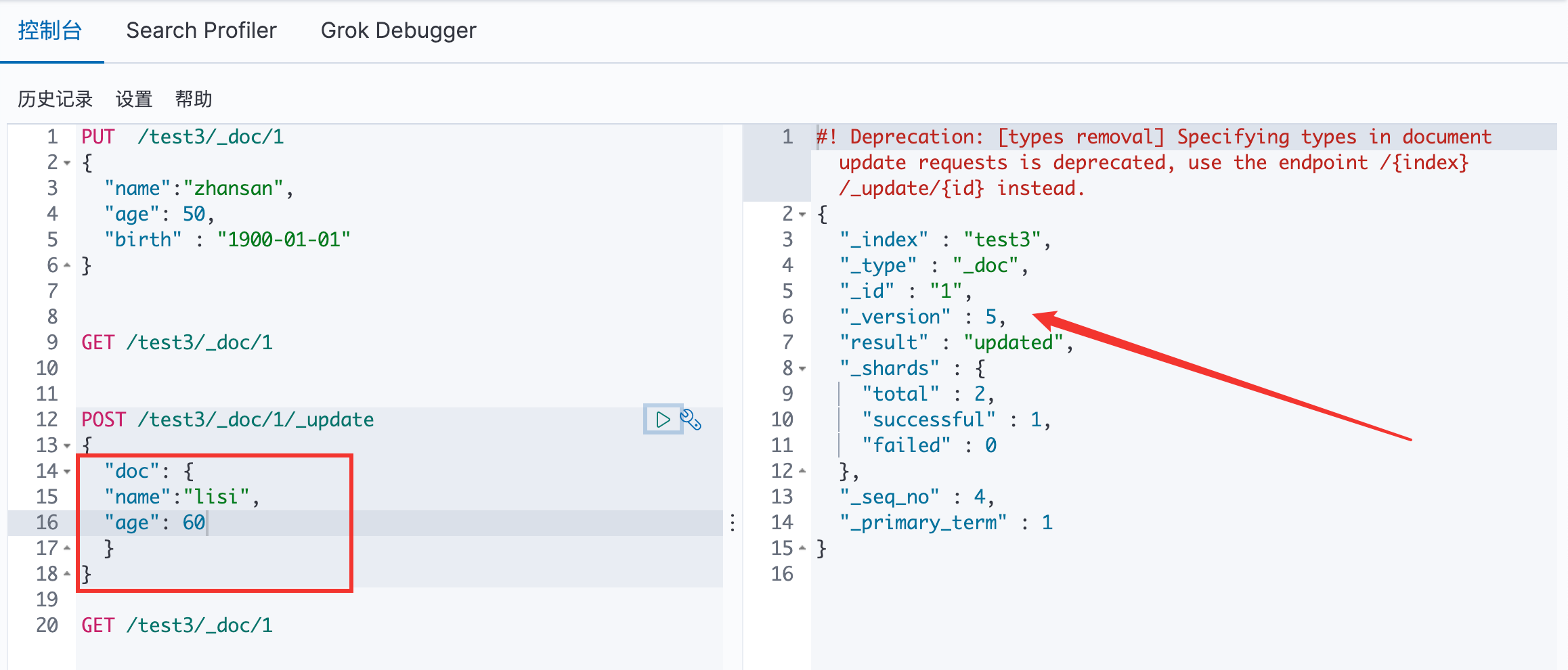
方法二:
POST /索引名称/_doc/文档id/__update
{
请求体
}
可以看见 version 再次发生了改变
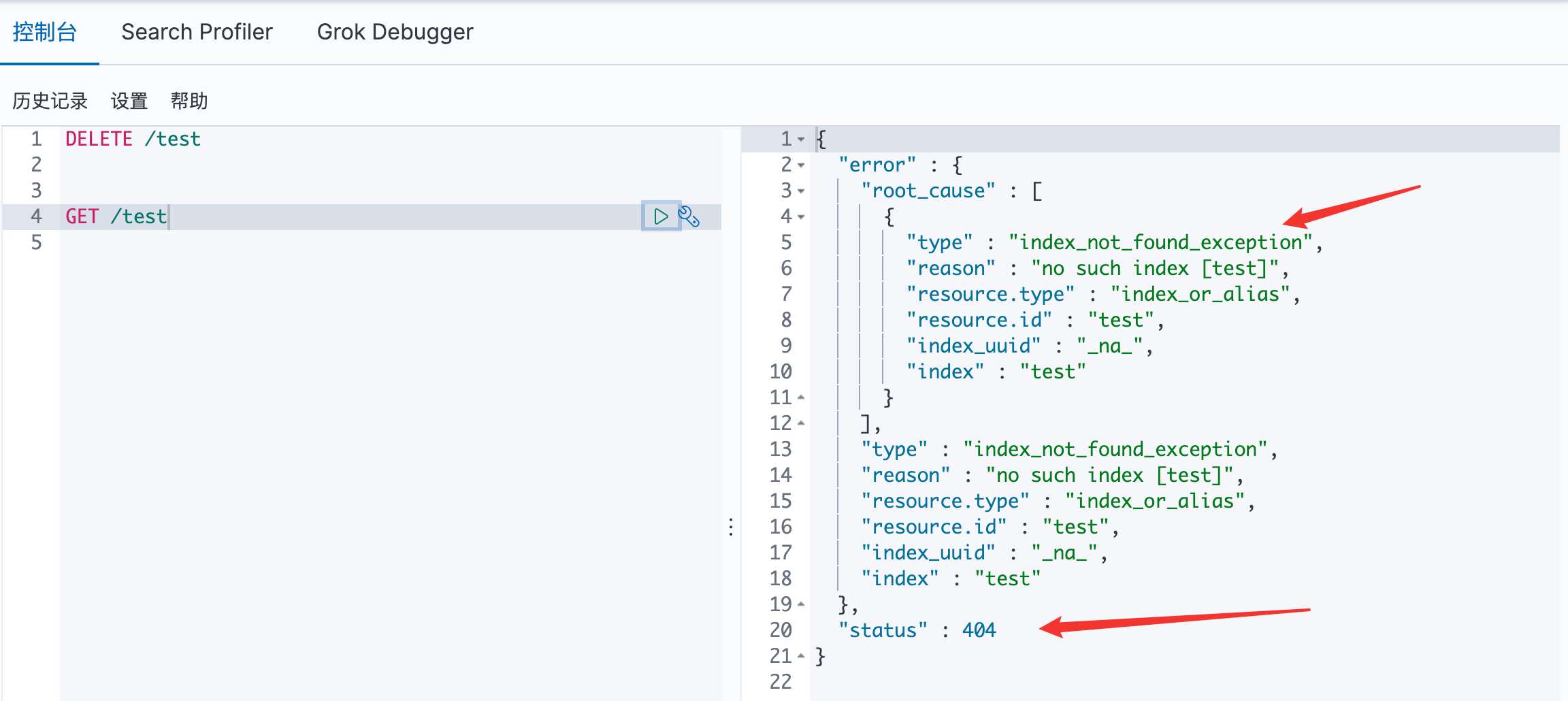
删除
8.5 关于文档的基本操作 基本操作:
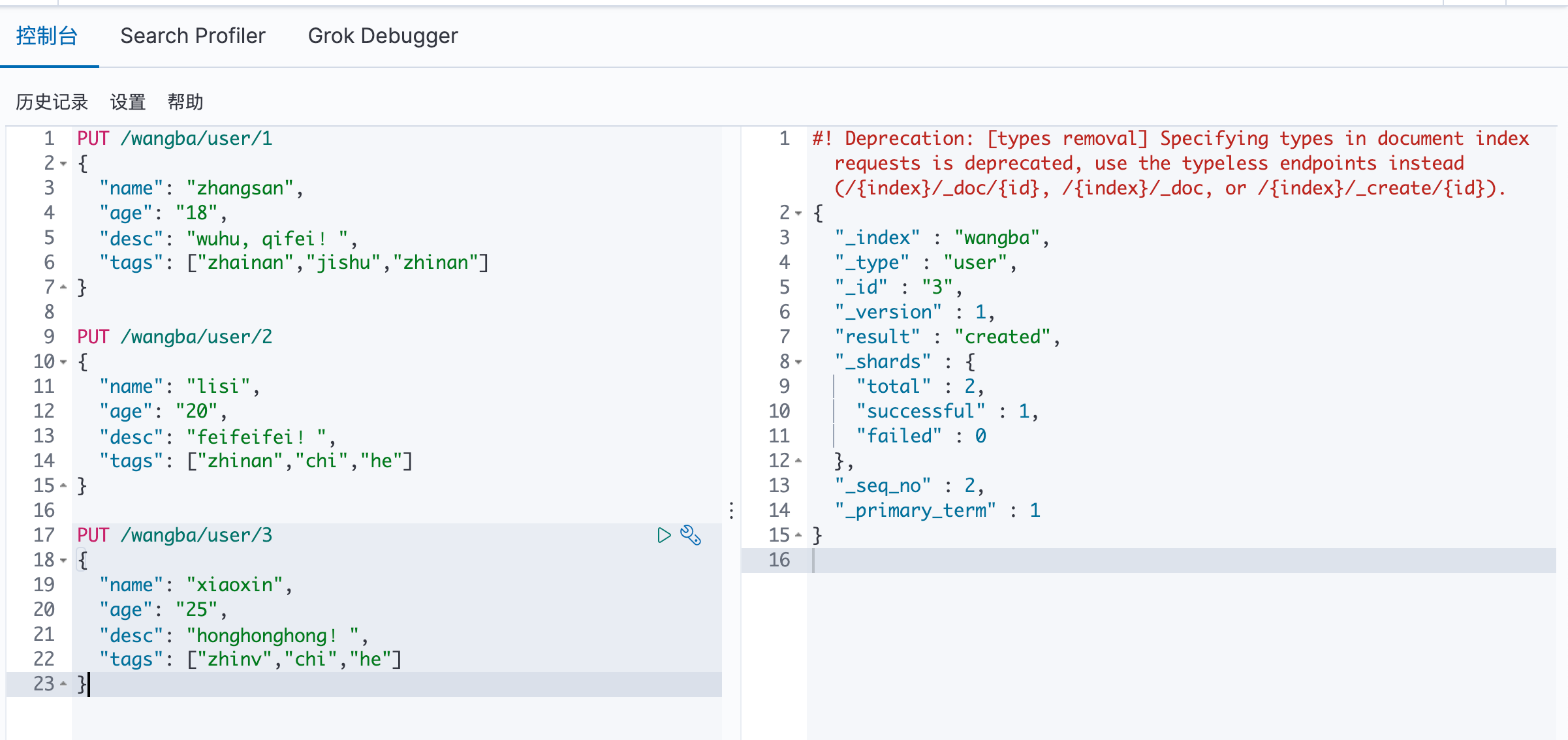
增加数据 PUT
查询数据 GET
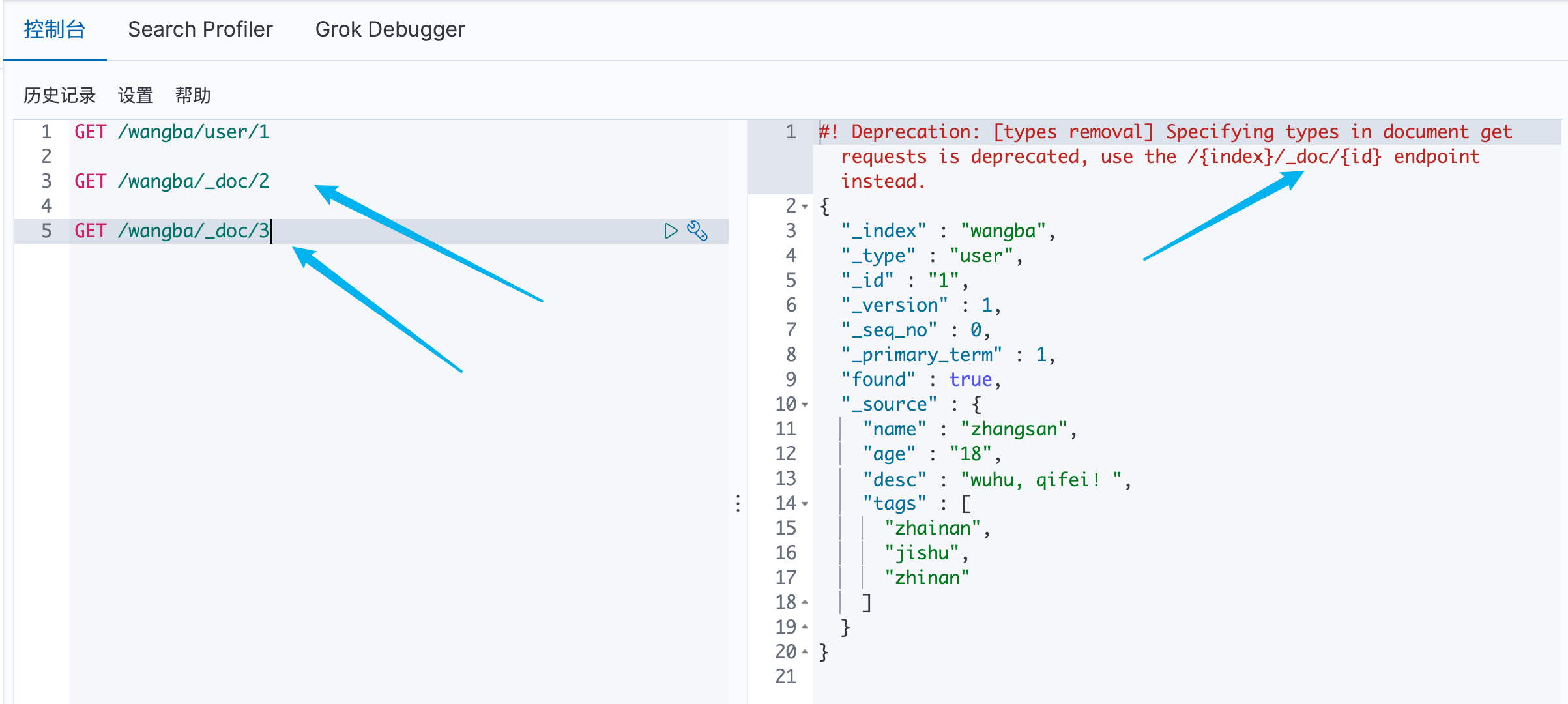
方式一:简单的 ID 查询
可以看见,推荐使用 GET /索引/_doc/文档ID 来进行操作
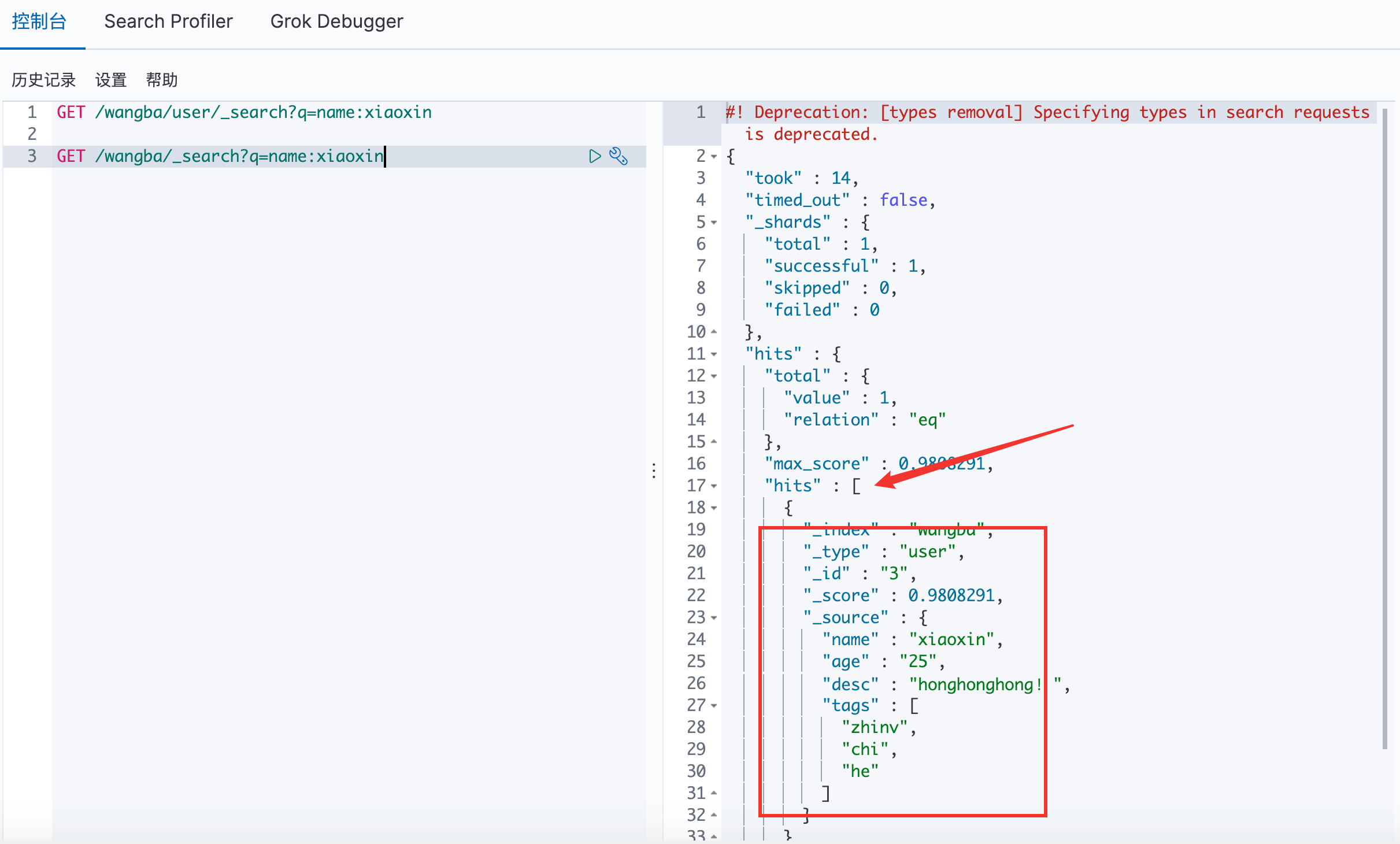
方式二:简单的条件查询
可以看见 type 已经被丢弃了
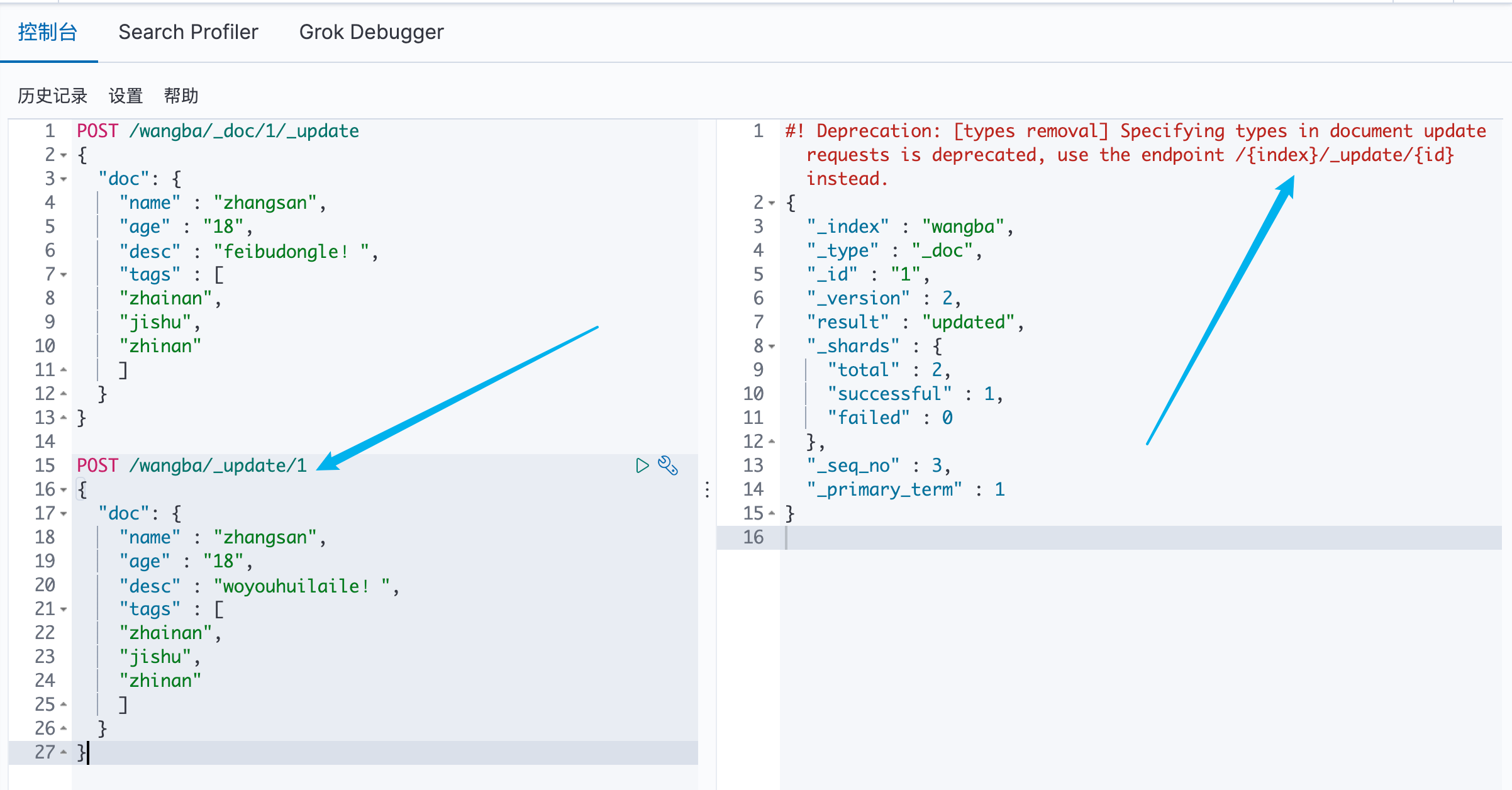
更新数据 POST
可以看见,推荐使用 POST /索引/_update/文档ID 来进行操作
复杂操作:select (排序、分页、高亮、模糊查询、精准查询 )
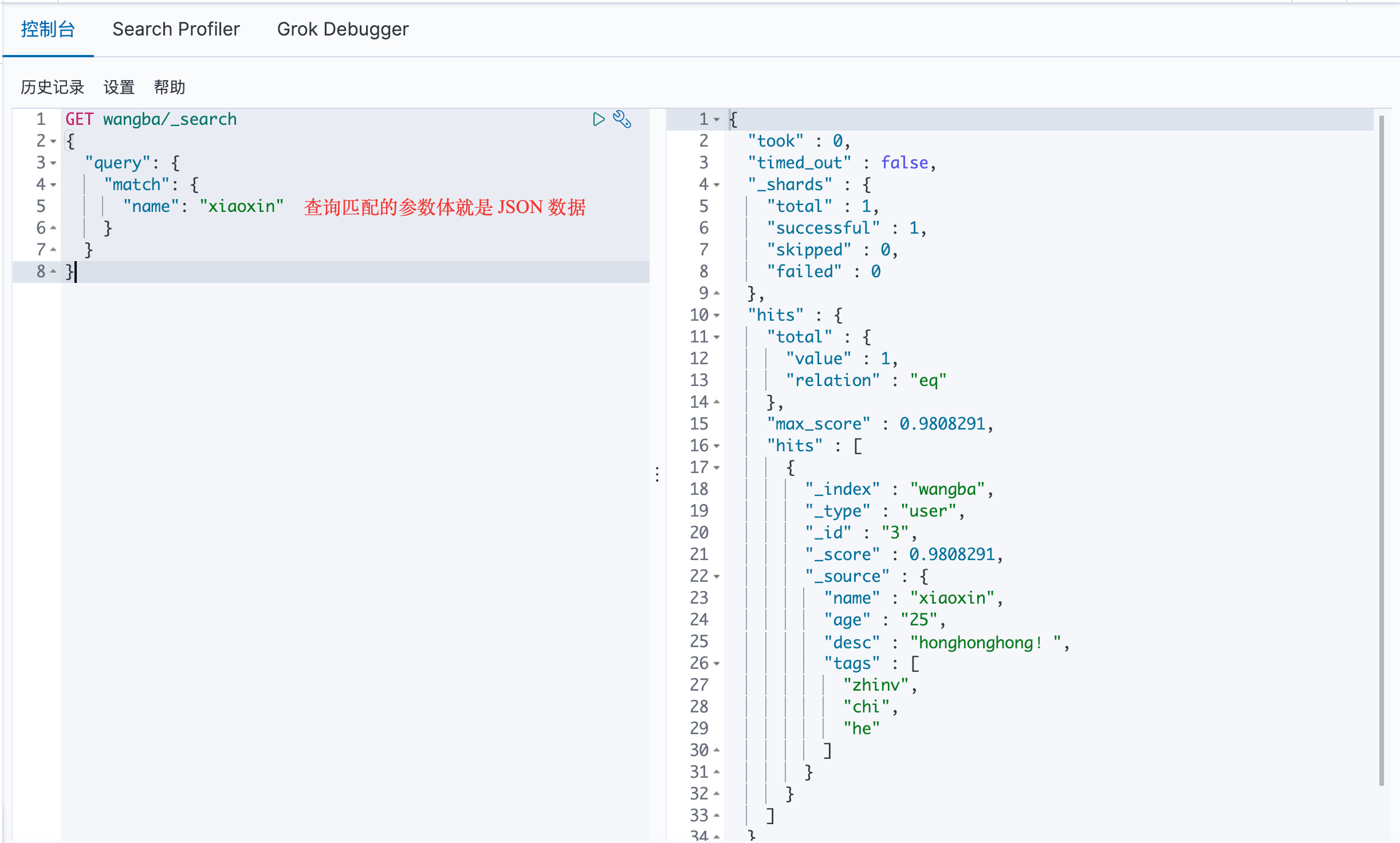
查询
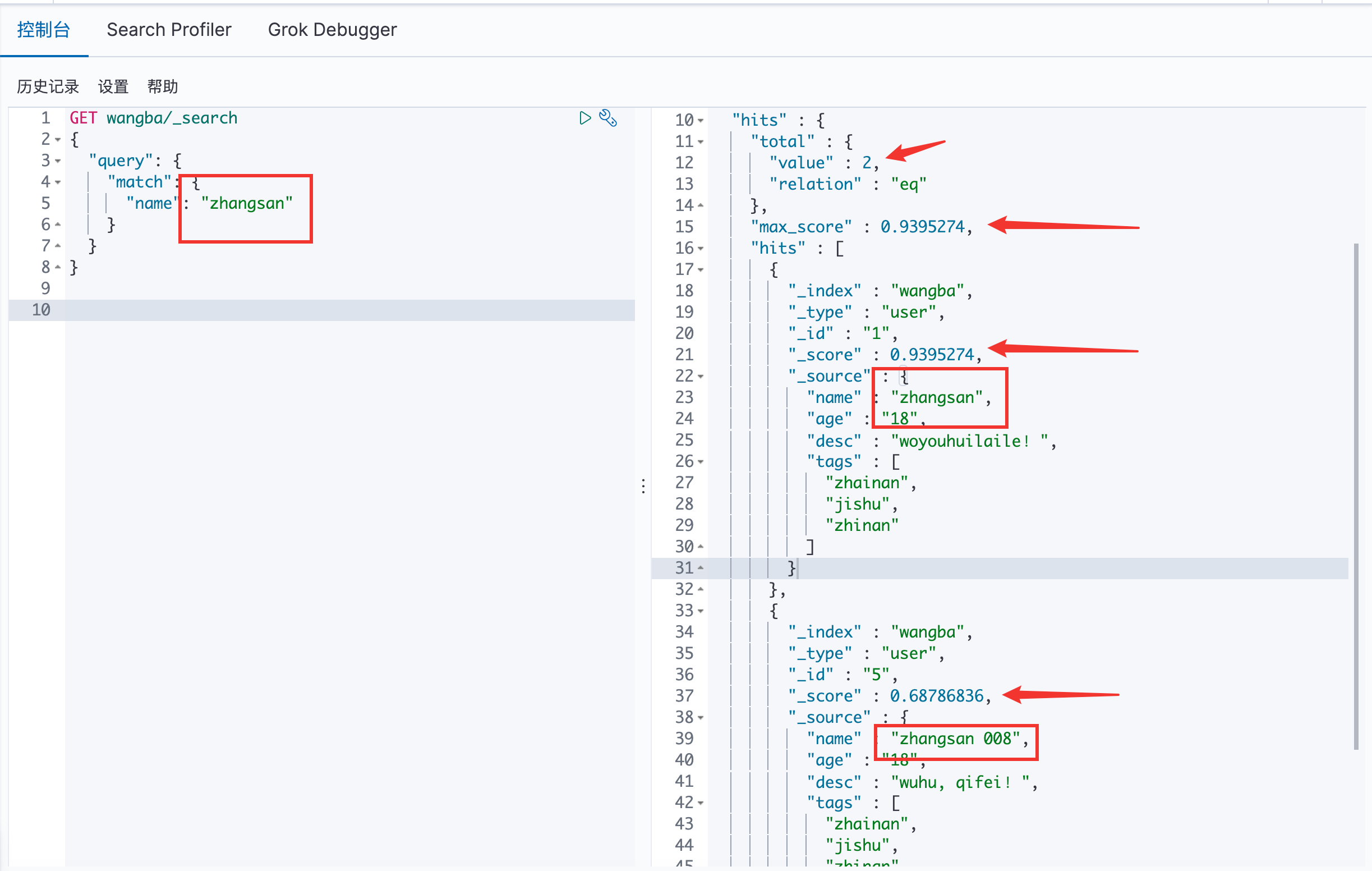
ES 中有 zhangsan 和 zhangshan 008 ,通过关键字zhangsan 查询,会将分词后的结果全部查询出来,且每一个都是有 _score 的。
hits:在Java可以得到索引和文档的信息、查询的结果总数、具体文档数据信息(可以通过遍历得到具体的各种信息)
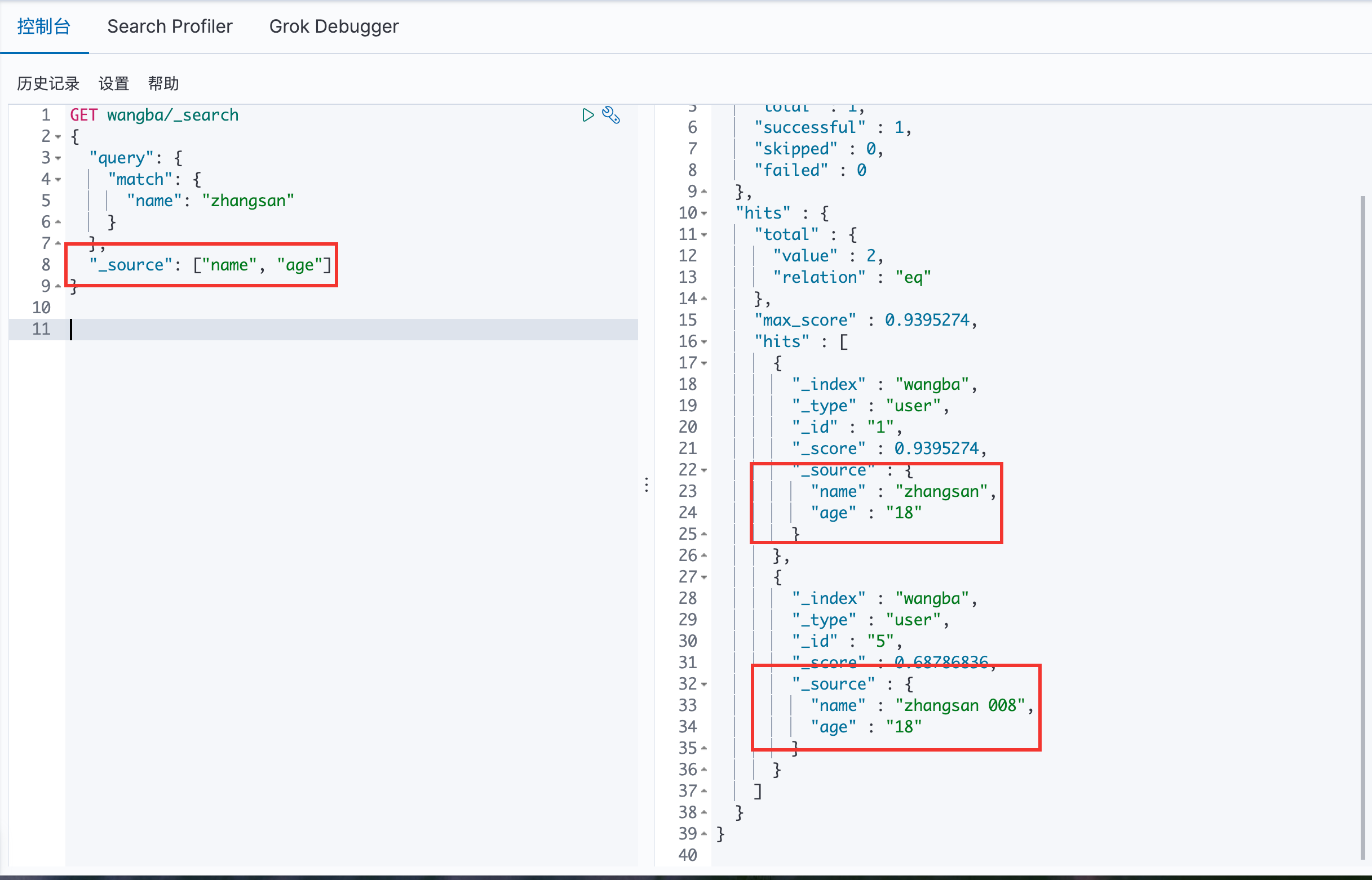
通过 _source 来指定最后的输出结果
排序
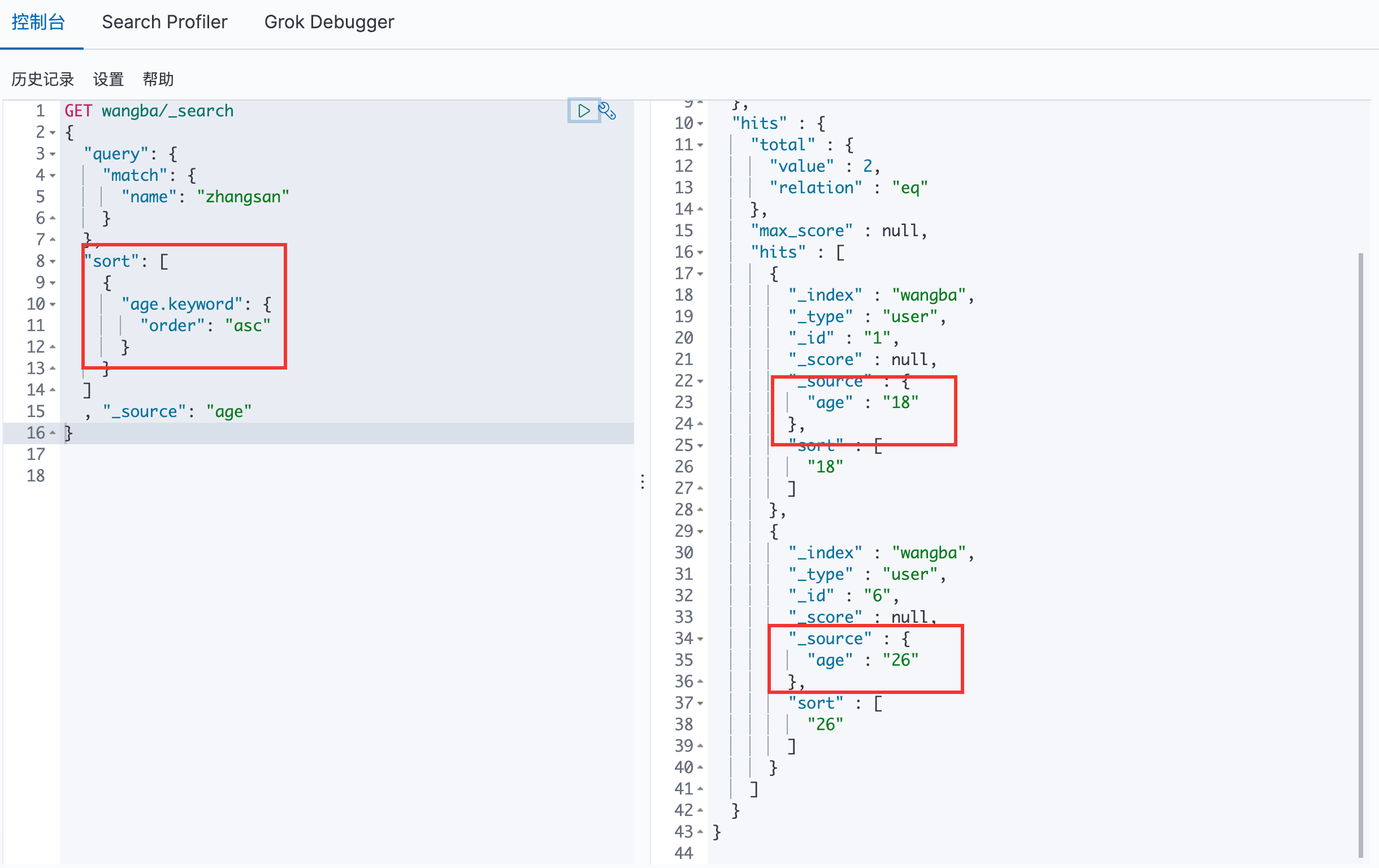
通过 sort 进行排序,用 desc 和 asc 来进行降序和升序
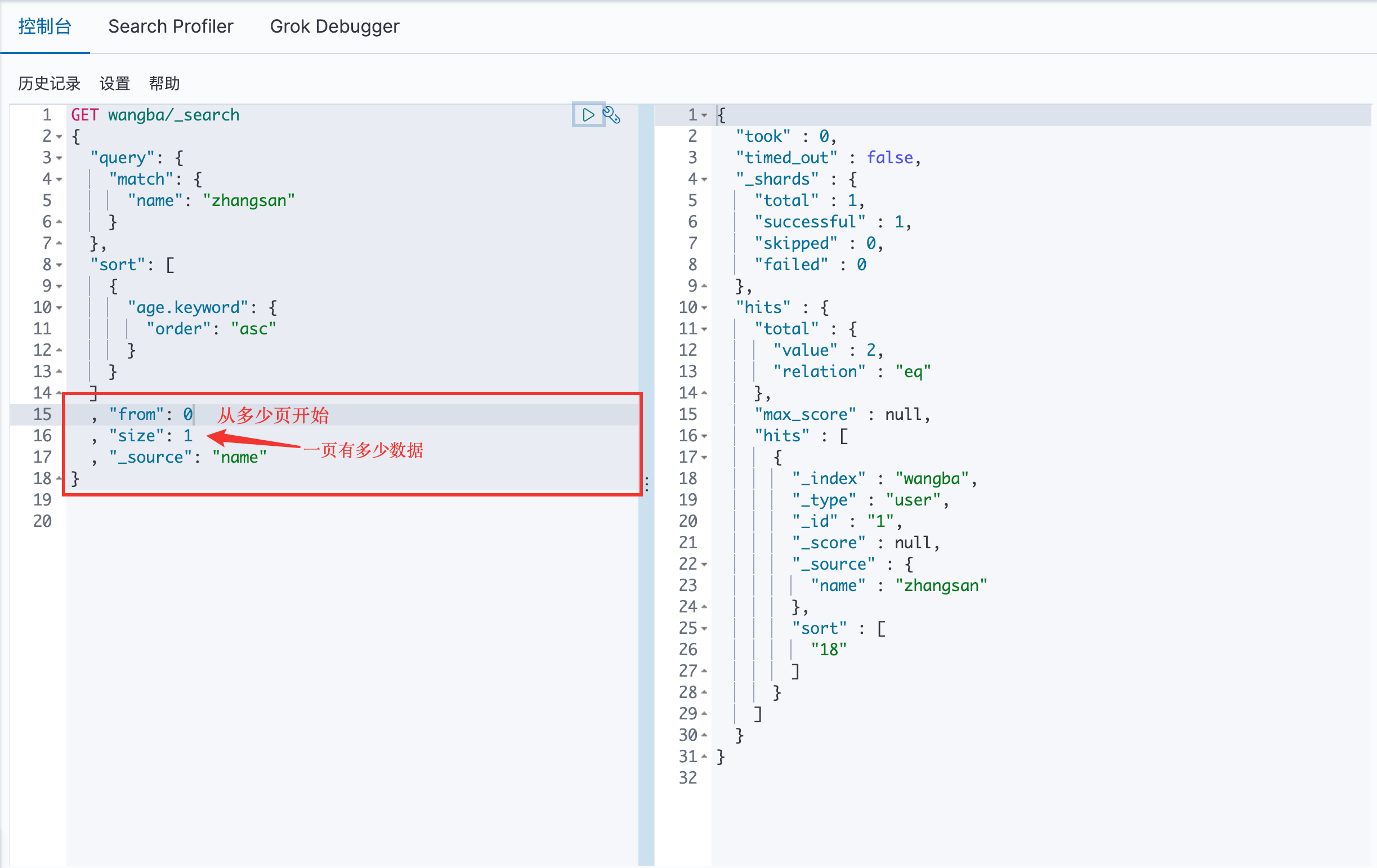
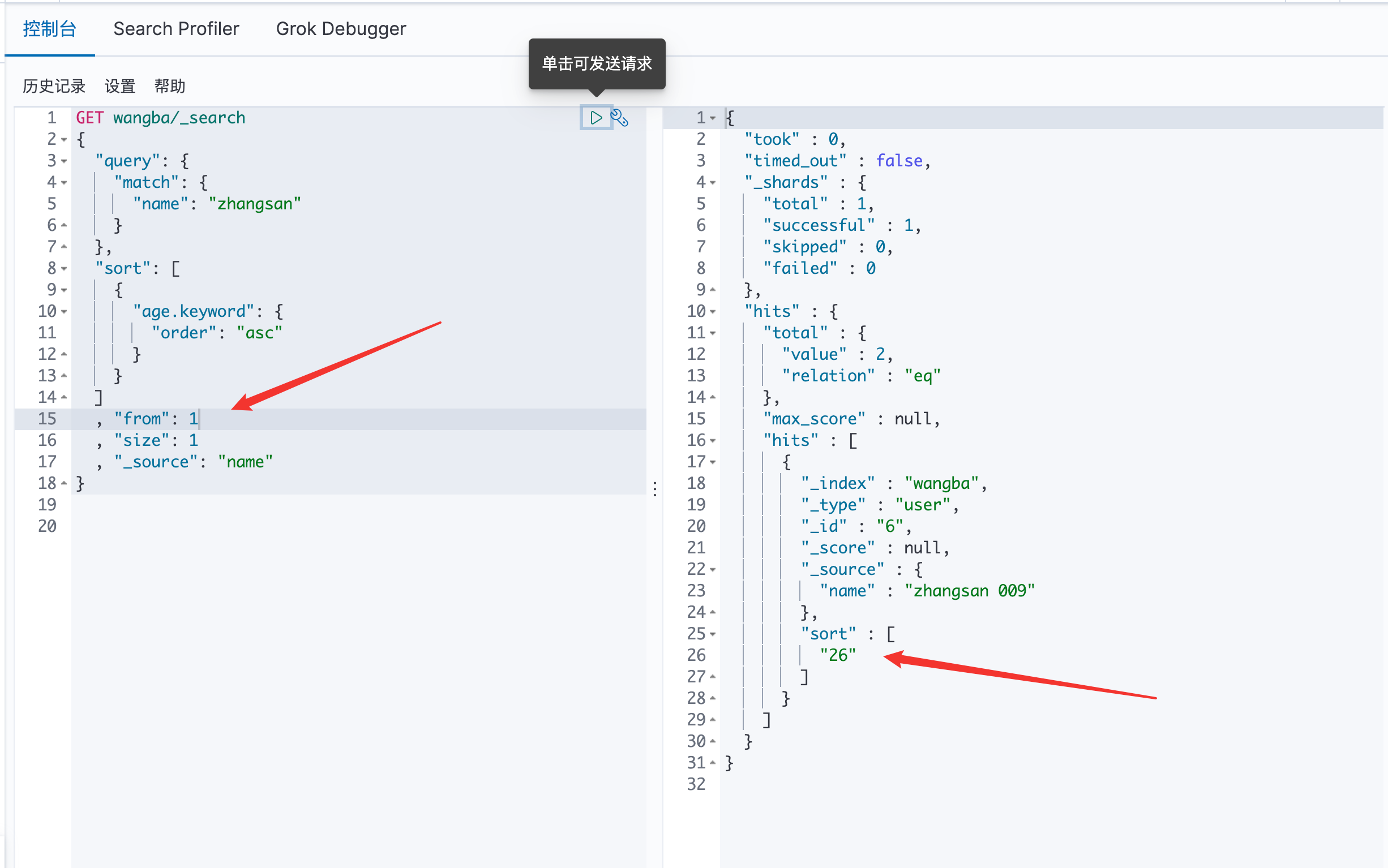
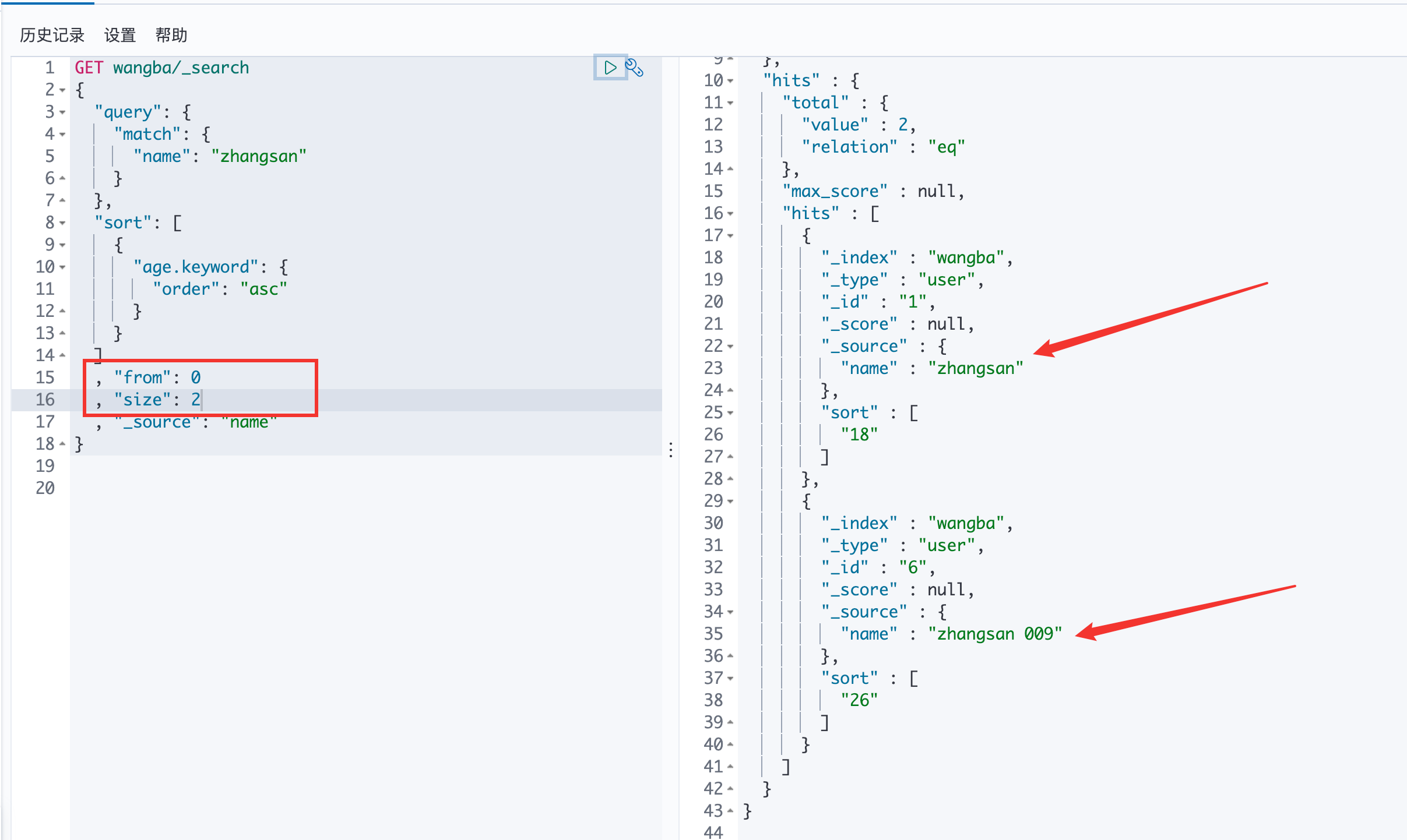
分页 /search/{current}/{pagesize}
第一页一个数据
第二页的一个数据
第一页的两个数据
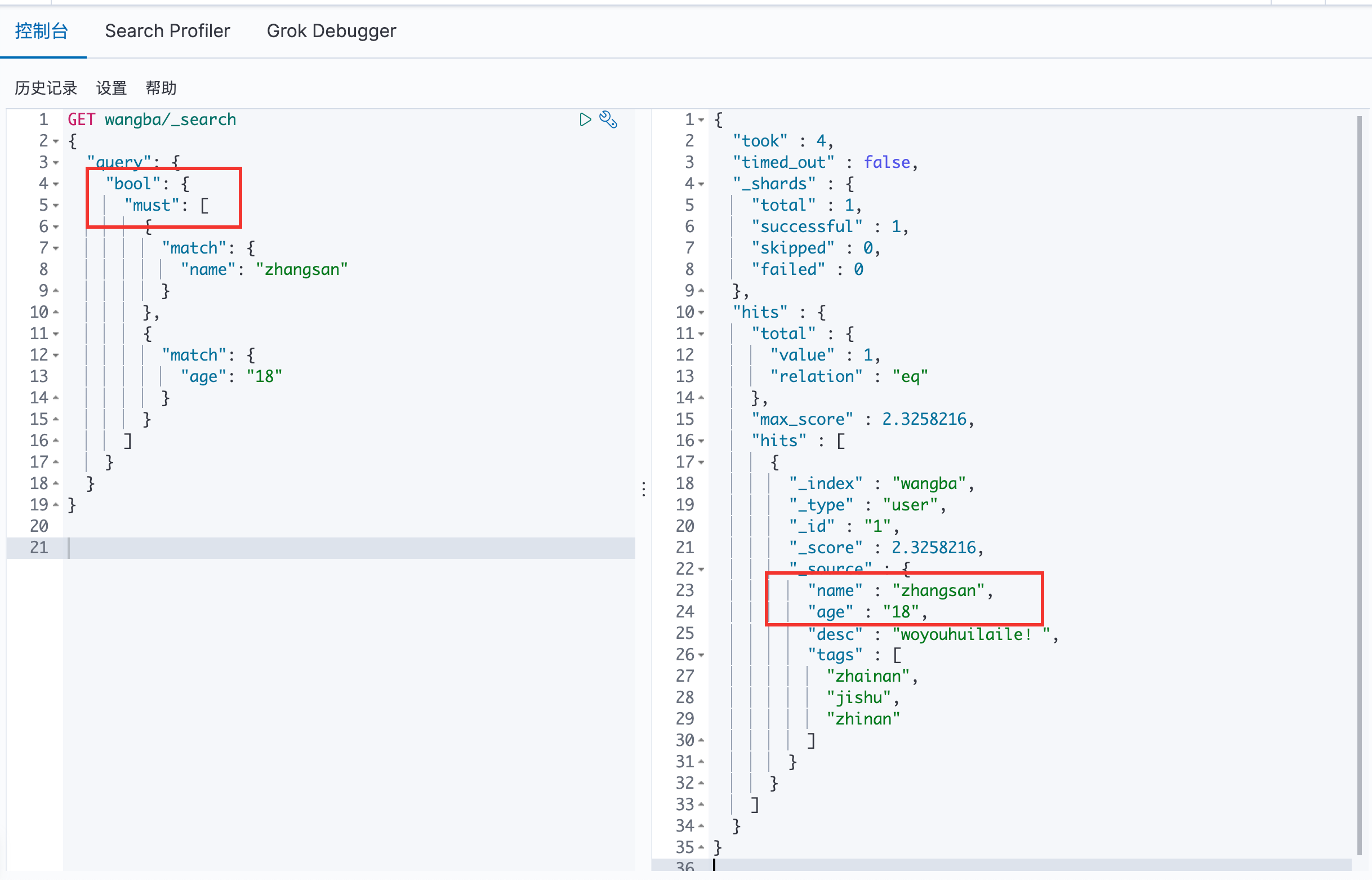
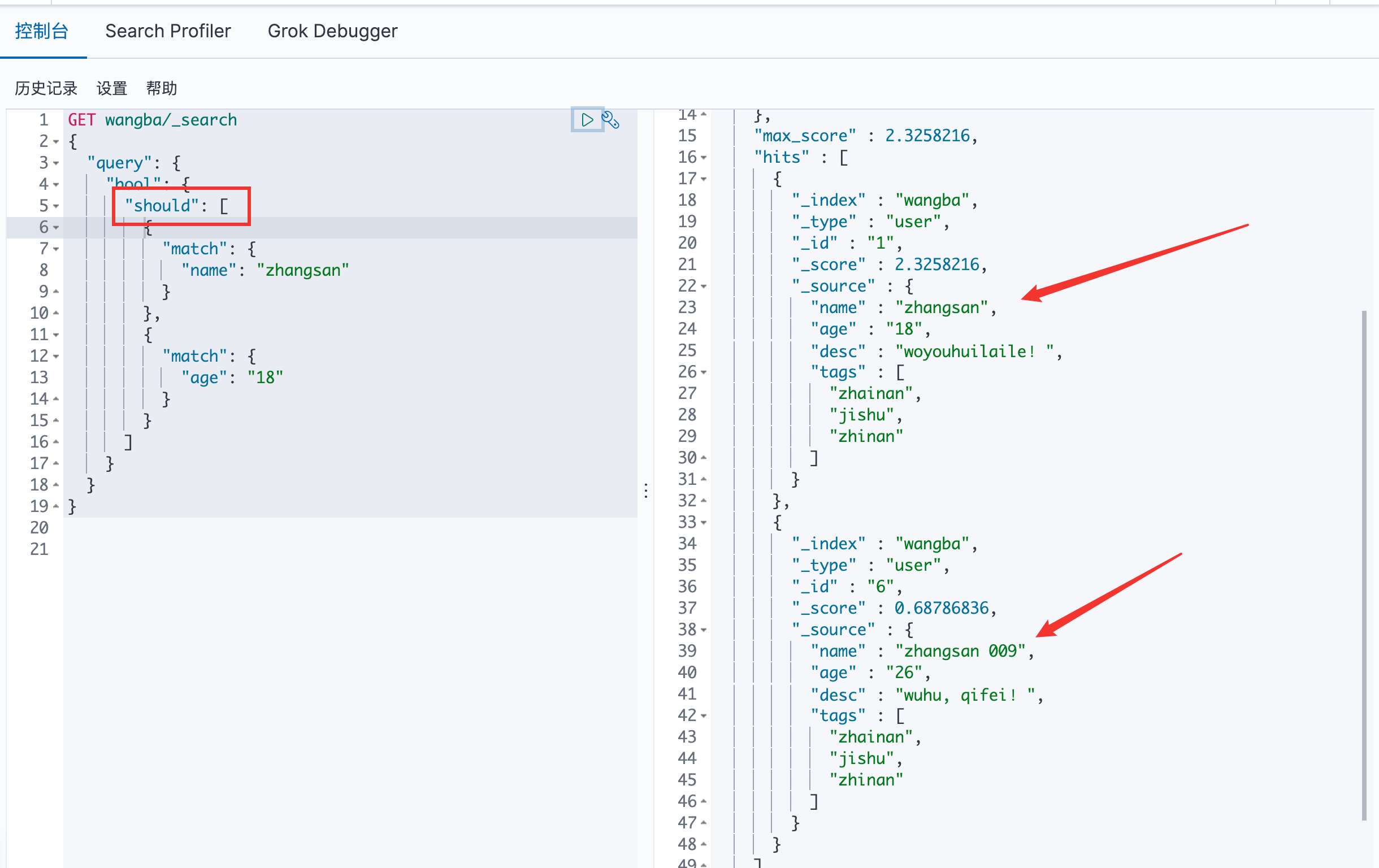
bool 值查询
must 命令 == and
should 命令 == or
两个都查询到了
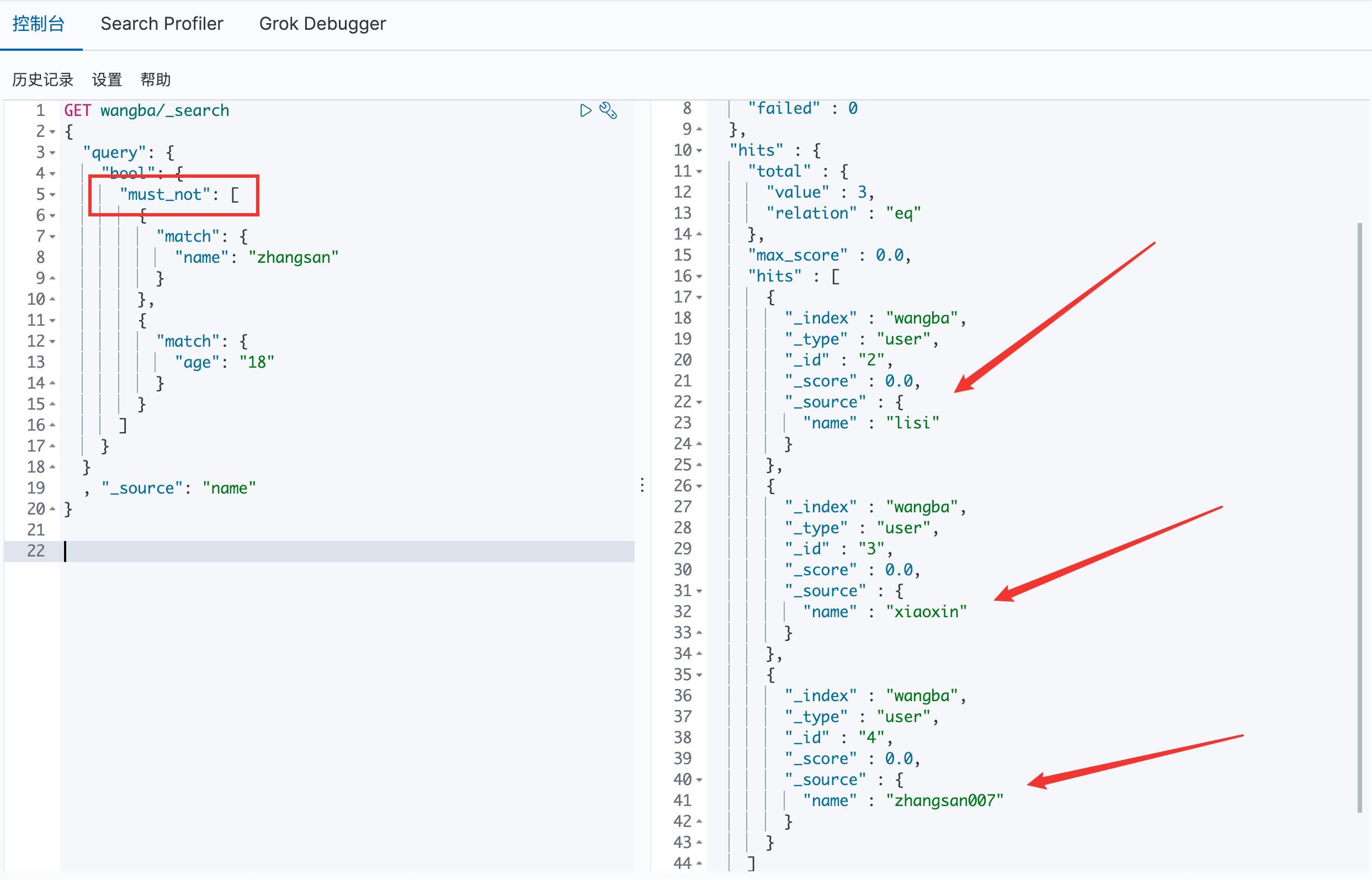
must_not 命令 == not
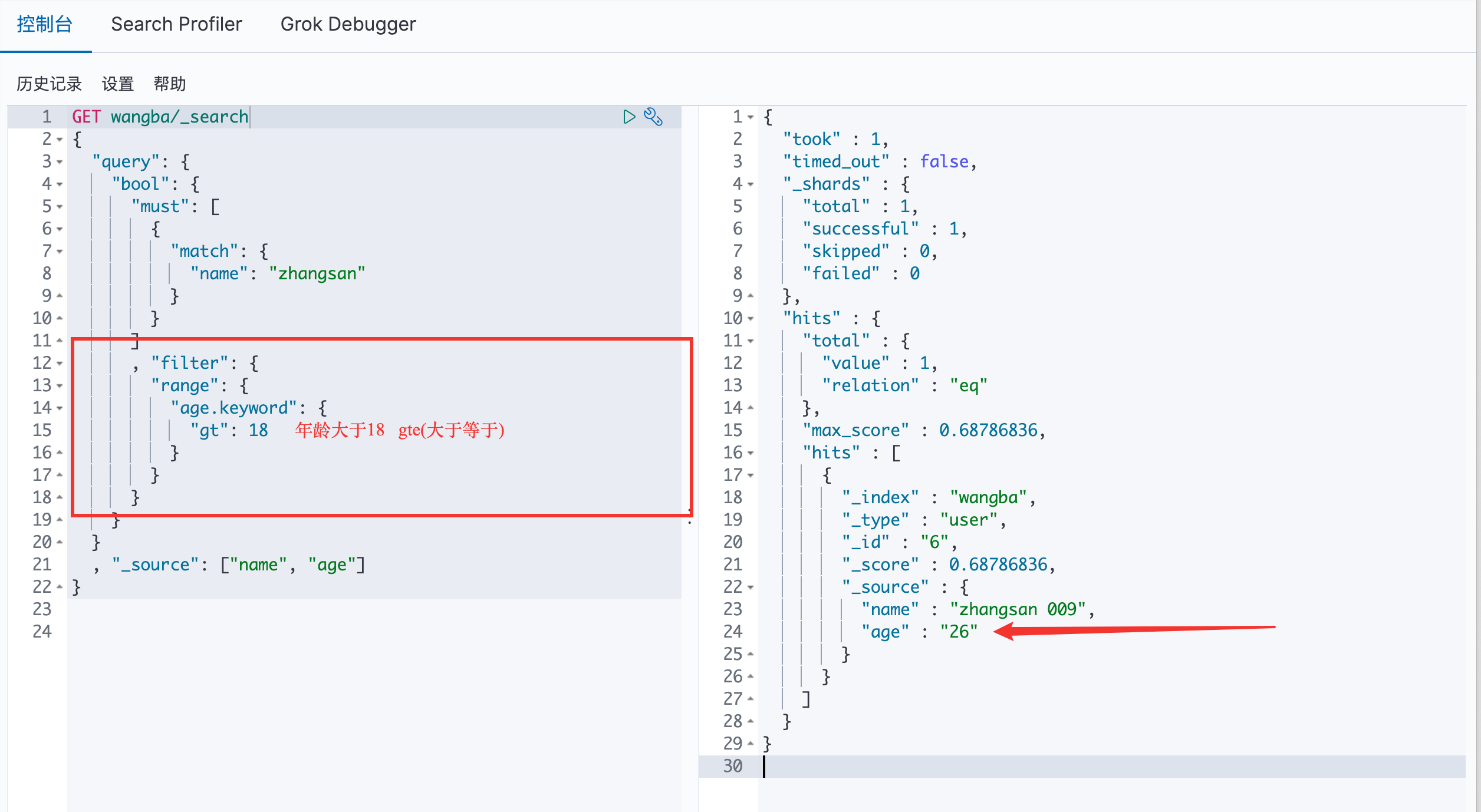
filter 命令
gt:大于 / gte:大于等于 / lt:小于 / lte:小于等于
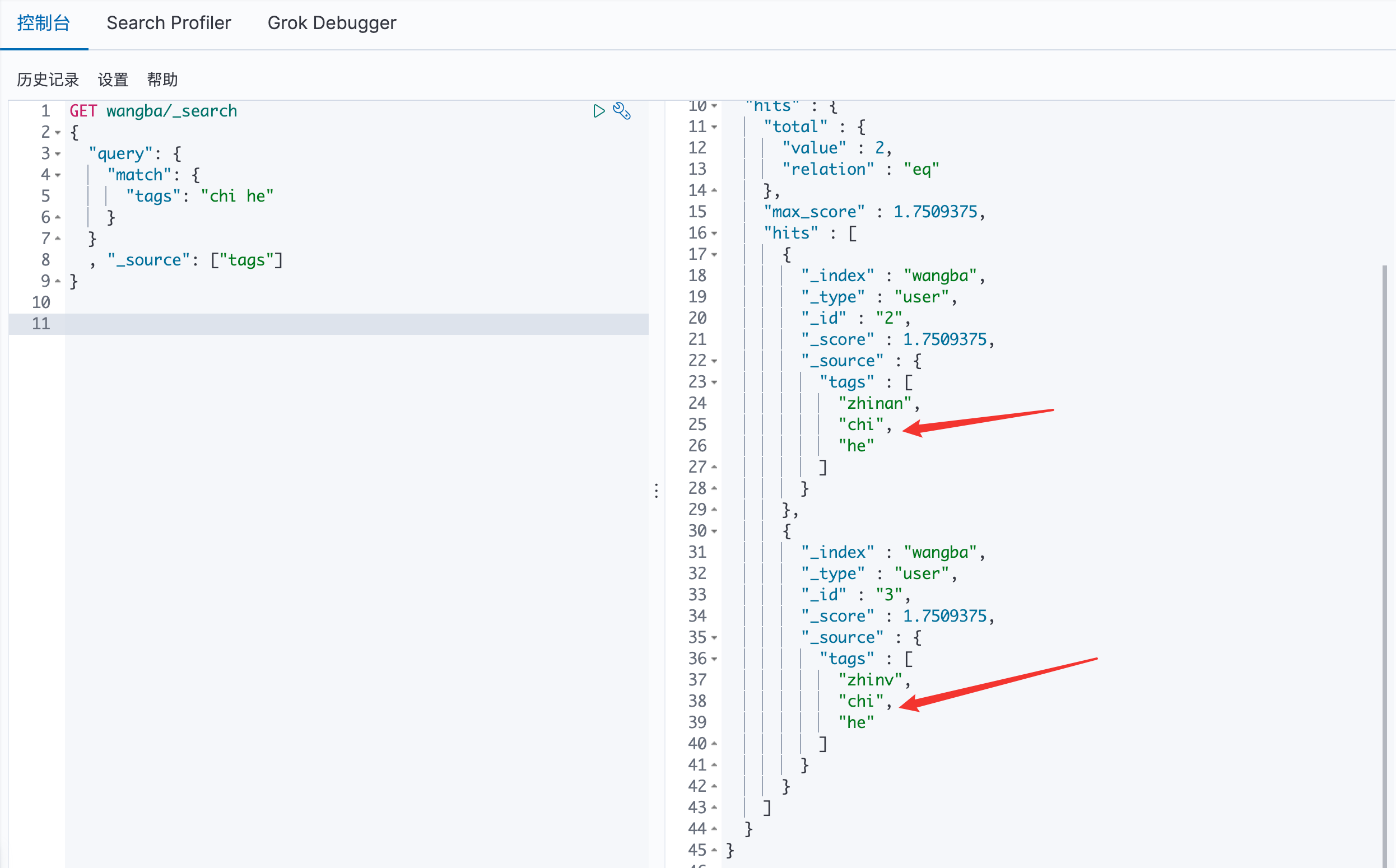
匹配多个条件
直接在 tags 中加空格
精确查询
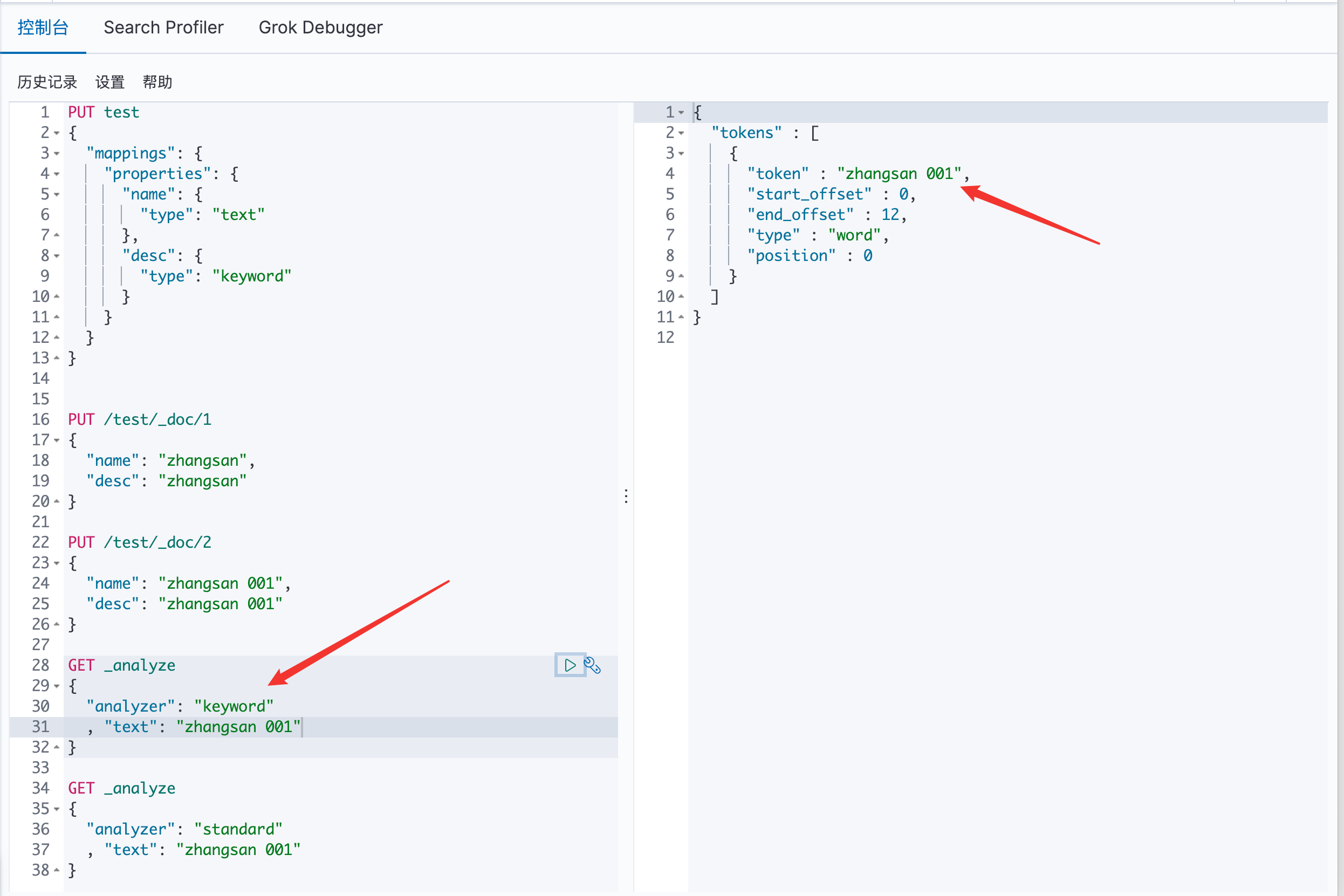
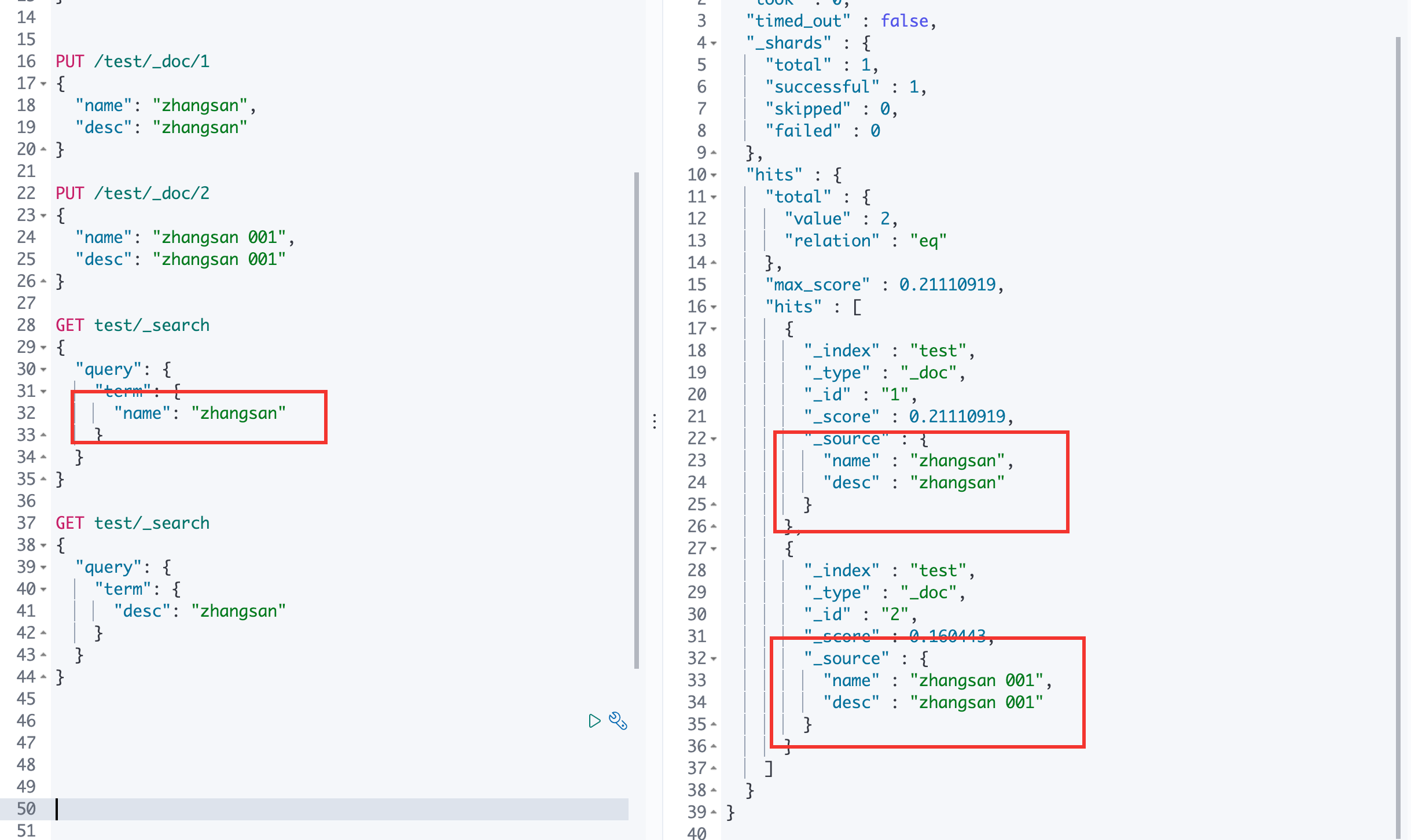
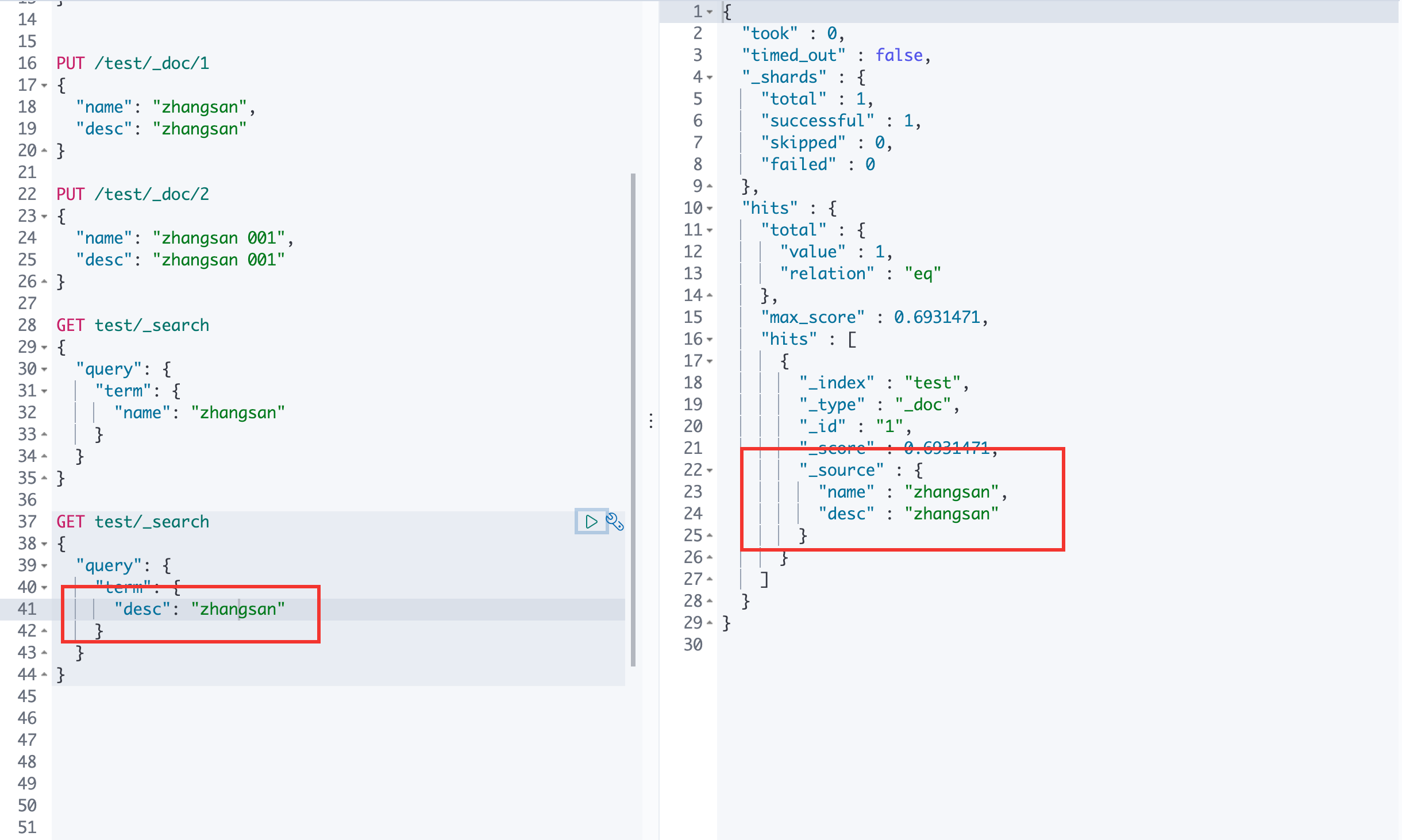
term 查询是直接通过倒排索引指定的词条进行精确的查询
两个类型:
text: 会被分词解析器解析
keyword: 不会被分词解析器解析
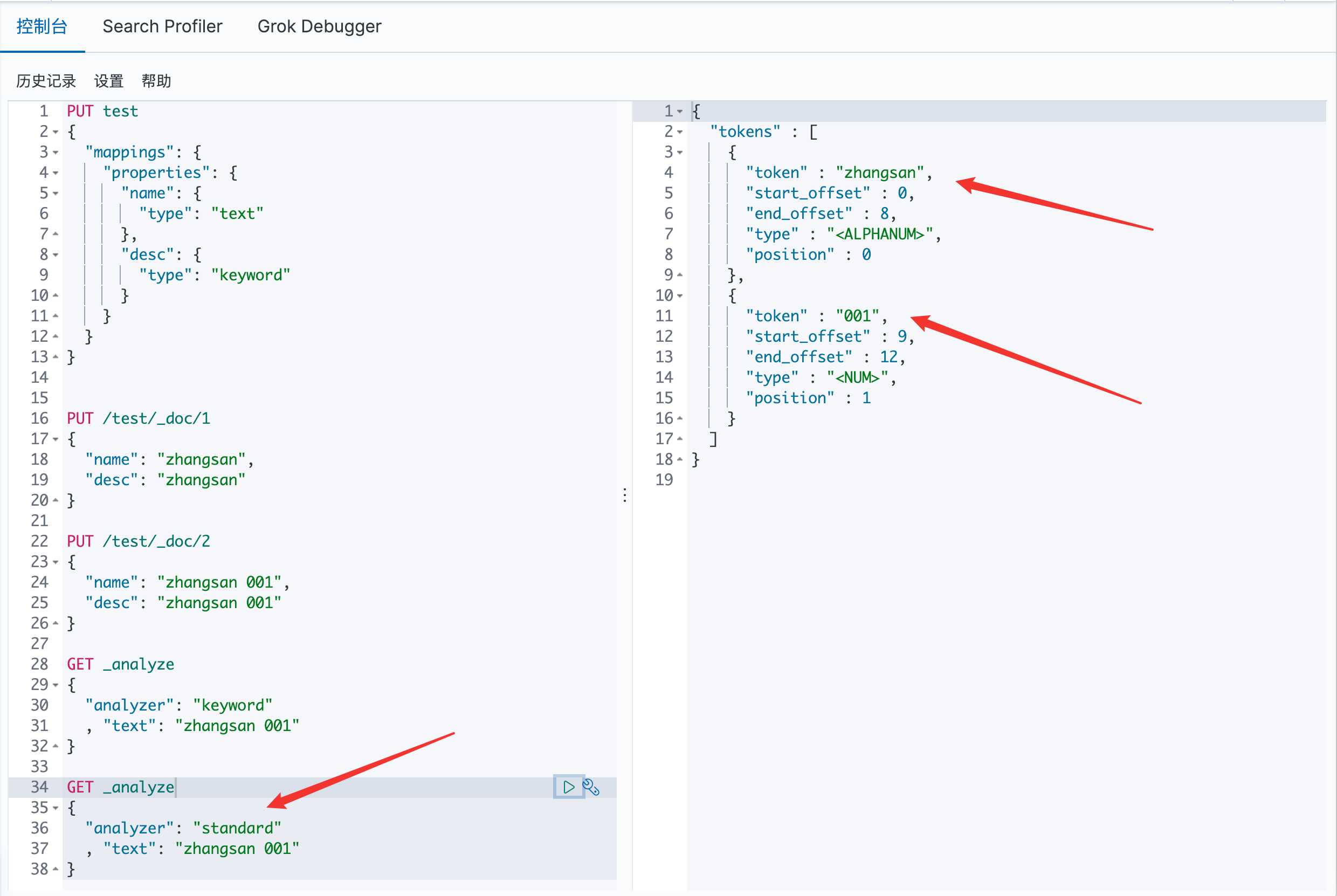
使用 keywod 分词器:
使用 standard 分词器:
text: 可以看见下面被分词了,所以出现了两个结果
keyword: 可以看见下面没有被分词
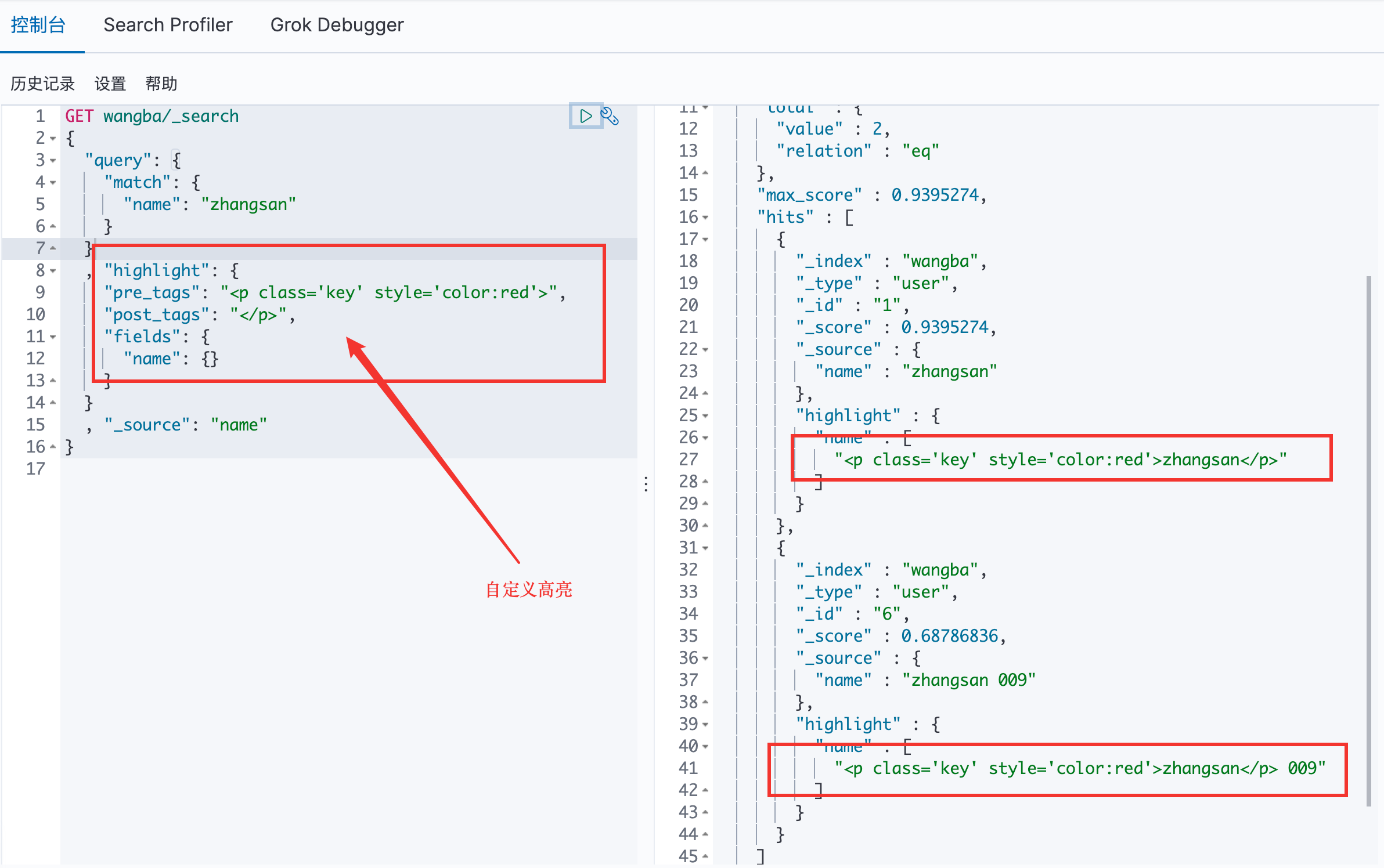
高亮查询
九、SpringBoot集成ElasticSearch 官方 ES Client 文档
1.依赖
1 2 3 4 5 <dependency > <groupId > org.elasticsearch.client</groupId > <artifactId > elasticsearch-rest-high-level-client</artifactId > <version > 7.6.2</version > </dependency >
2.找对象
3.分析类中方法
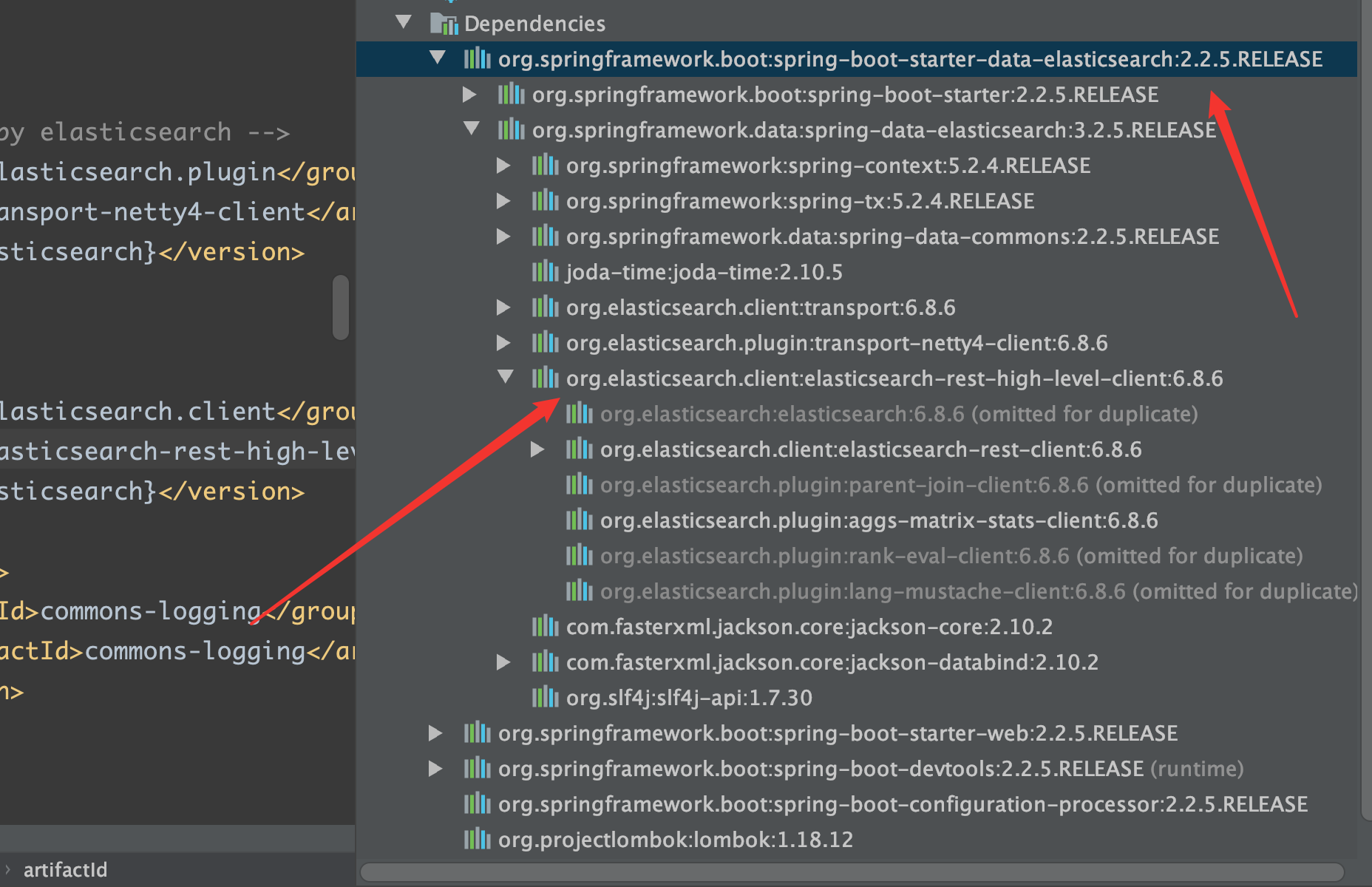
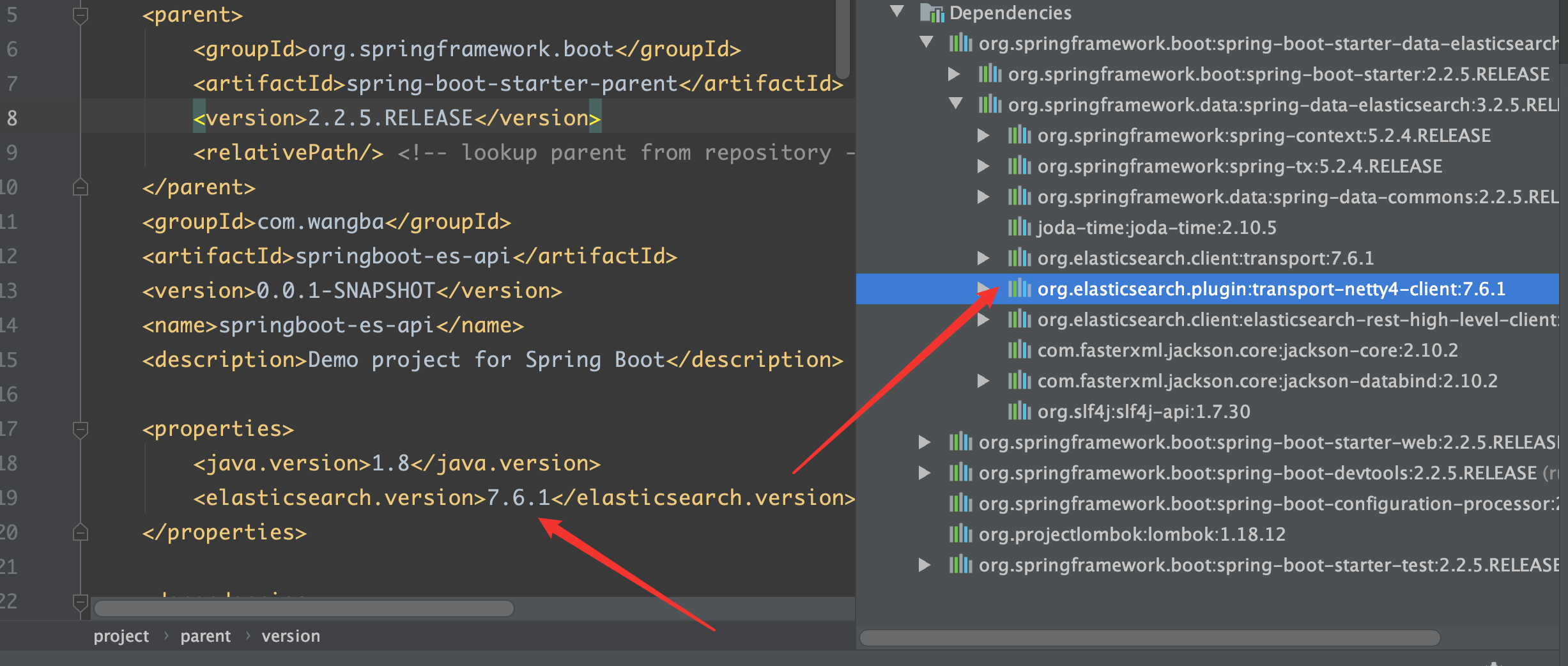
ES 的版本与本机中的版本不一致
自行配置 SpringBoot 中的 ES 版本
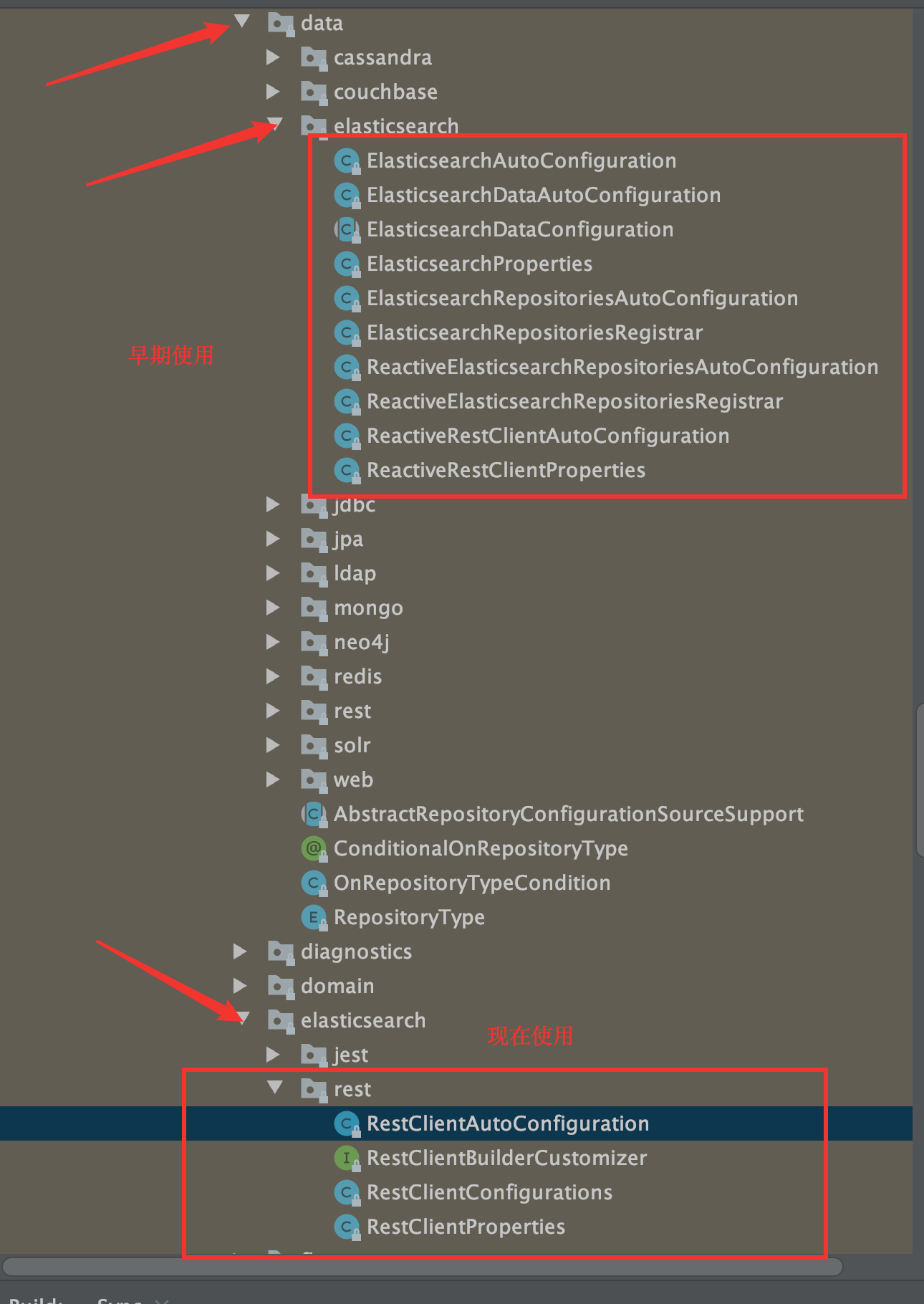
RestClientAutoConfiguration 和 RestClientProperties
1 2 3 4 5 6 7 8 9 10 11 12 13 14 15 16 17 18 19 20 21 22 23 24 25 26 27 28 29 30 31 32 33 34 35 36 37 38 39 40 41 42 43 44 45 46 47 48 49 50 51 52 53 54 55 56 57 58 59 60 61 62 63 64 65 66 67 68 69 70 71 72 73 74 75 76 77 78 79 80 81 82 83 84 85 86 87 88 89 90 91 92 93 94 95 96 97 98 99 100 101 102 103 104 package org.springframework.boot.autoconfigure.elasticsearch.rest;import java.time.Duration;import org.apache.http.HttpHost;import org.apache.http.auth.AuthScope;import org.apache.http.auth.Credentials;import org.apache.http.auth.UsernamePasswordCredentials;import org.apache.http.client.CredentialsProvider;import org.apache.http.impl.client.BasicCredentialsProvider;import org.elasticsearch.client.RestClient;import org.elasticsearch.client.RestClientBuilder;import org.elasticsearch.client.RestHighLevelClient;import org.springframework.beans.factory.ObjectProvider;import org.springframework.boot.autoconfigure.condition.ConditionalOnClass;import org.springframework.boot.autoconfigure.condition.ConditionalOnMissingBean;import org.springframework.boot.context.properties.PropertyMapper;import org.springframework.context.annotation.Bean;import org.springframework.context.annotation.Configuration;class RestClientConfigurations RestClientConfigurations() { } @Configuration( proxyBeanMethods = false ) static class RestClientFallbackConfiguration RestClientFallbackConfiguration() { } @Bean @ConditionalOnMissingBean RestClient elasticsearchRestClient (RestClientBuilder builder) { return builder.build(); } } @Configuration( proxyBeanMethods = false ) @ConditionalOnClass({RestHighLevelClient.class}) static class RestHighLevelClientConfiguration RestHighLevelClientConfiguration() { } @Bean @ConditionalOnMissingBean RestHighLevelClient elasticsearchRestHighLevelClient (RestClientBuilder restClientBuilder) { return new RestHighLevelClient(restClientBuilder); } @Bean @ConditionalOnMissingBean RestClient elasticsearchRestClient (RestClientBuilder builder, ObjectProvider<RestHighLevelClient> restHighLevelClient) { RestHighLevelClient client = (RestHighLevelClient)restHighLevelClient.getIfUnique(); return client != null ? client.getLowLevelClient() : builder.build(); } } @Configuration( proxyBeanMethods = false ) static class RestClientBuilderConfiguration RestClientBuilderConfiguration() { } @Bean @ConditionalOnMissingBean RestClientBuilder elasticsearchRestClientBuilder (RestClientProperties properties, ObjectProvider<RestClientBuilderCustomizer> builderCustomizers) { HttpHost[] hosts = (HttpHost[])properties.getUris().stream().map(HttpHost::create).toArray((x$0 ) -> { return new HttpHost[x$0 ]; }); RestClientBuilder builder = RestClient.builder(hosts); PropertyMapper map = PropertyMapper.get(); map.from(properties::getUsername).whenHasText().to((username) -> { CredentialsProvider credentialsProvider = new BasicCredentialsProvider(); Credentials credentials = new UsernamePasswordCredentials(properties.getUsername(), properties.getPassword()); credentialsProvider.setCredentials(AuthScope.ANY, credentials); builder.setHttpClientConfigCallback((httpClientBuilder) -> { return httpClientBuilder.setDefaultCredentialsProvider(credentialsProvider); }); }); builder.setRequestConfigCallback((requestConfigBuilder) -> { properties.getClass(); map.from(properties::getConnectionTimeout).whenNonNull().asInt(Duration::toMillis).to(requestConfigBuilder::setConnectTimeout); properties.getClass(); map.from(properties::getReadTimeout).whenNonNull().asInt(Duration::toMillis).to(requestConfigBuilder::setSocketTimeout); return requestConfigBuilder; }); builderCustomizers.orderedStream().forEach((customizer) -> { customizer.customize(builder); }); return builder; } } }
十、索引、文档 API 操作 1 2 3 4 5 6 7 8 9 10 11 12 13 14 15 16 17 18 19 20 21 22 23 24 25 26 27 28 29 30 31 32 33 34 35 36 37 38 39 40 41 42 43 44 45 46 47 48 49 50 51 52 53 54 55 56 57 58 59 60 61 62 63 64 65 66 67 68 69 70 71 72 73 74 75 76 77 78 79 80 81 82 83 84 85 86 87 88 89 90 91 92 93 94 95 96 97 98 99 100 101 102 103 104 105 106 107 108 109 110 111 112 113 114 115 116 117 118 119 120 121 122 123 124 125 126 127 128 129 130 131 132 133 134 135 136 137 138 139 140 141 142 143 144 145 146 147 148 149 150 151 152 153 154 155 156 157 158 159 160 161 162 163 164 165 166 167 168 169 170 171 172 173 174 175 176 177 178 179 180 181 182 183 184 185 186 187 188 189 190 191 192 193 194 195 196 197 198 199 200 201 202 203 204 205 206 207 208 209 210 211 212 213 214 215 216 217 218 219 220 221 222 223 224 225 226 227 228 229 230 231 232 233 234 235 236 237 238 239 240 241 242 243 244 245 246 247 248 249 250 251 252 253 254 255 256 257 258 259 260 261 262 263 264 265 266 267 268 269 270 271 272 273 274 275 276 277 278 279 280 281 282 283 284 285 286 287 288 289 package com.wangba;import com.alibaba.fastjson.JSON;import com.wangba.enity.User;import org.apache.lucene.search.TermQuery;import org.apache.lucene.util.QueryBuilder;import org.elasticsearch.action.admin.indices.delete.DeleteIndexRequest;import org.elasticsearch.action.bulk.BulkRequest;import org.elasticsearch.action.bulk.BulkResponse;import org.elasticsearch.action.delete.DeleteRequest;import org.elasticsearch.action.delete.DeleteResponse;import org.elasticsearch.action.get.GetRequest;import org.elasticsearch.action.get.GetResponse;import org.elasticsearch.action.index.IndexRequest;import org.elasticsearch.action.index.IndexResponse;import org.elasticsearch.action.search.SearchRequest;import org.elasticsearch.action.search.SearchRequestBuilder;import org.elasticsearch.action.search.SearchResponse;import org.elasticsearch.action.support.master.AcknowledgedResponse;import org.elasticsearch.action.update.UpdateRequest;import org.elasticsearch.action.update.UpdateResponse;import org.elasticsearch.client.RequestOptions;import org.elasticsearch.client.RestHighLevelClient;import org.elasticsearch.client.indices.CreateIndexRequest;import org.elasticsearch.client.indices.CreateIndexResponse;import org.elasticsearch.client.indices.GetIndexRequest;import org.elasticsearch.common.unit.TimeValue;import org.elasticsearch.common.xcontent.XContentType;import org.elasticsearch.index.query.MatchAllQueryBuilder;import org.elasticsearch.index.query.QueryBuilders;import org.elasticsearch.index.query.TermQueryBuilder;import org.elasticsearch.search.SearchHit;import org.elasticsearch.search.builder.SearchSourceBuilder;import org.elasticsearch.search.fetch.subphase.FetchSourceContext;import org.junit.jupiter.api.Test;import org.springframework.beans.factory.annotation.Autowired;import org.springframework.beans.factory.annotation.Qualifier;import org.springframework.boot.test.context.SpringBootTest;import org.springframework.data.repository.query.Param;import org.w3c.dom.ls.LSOutput;import java.io.IOException;import java.util.ArrayList;import java.util.concurrent.TimeUnit;@SpringBootTest class SpringbootEsApiApplicationTests @Autowired @Qualifier("restHighLevelClient") private RestHighLevelClient client; @Test void createIndex () throws IOException CreateIndexRequest request = new CreateIndexRequest("test" ); CreateIndexResponse createIndexResponse = client.indices().create(request, RequestOptions.DEFAULT); System.out.println(createIndexResponse); } @Test void existIndex () throws IOException GetIndexRequest request = new GetIndexRequest("test" ); boolean exists = client.indices().exists(request, RequestOptions.DEFAULT); System.out.println(exists); } @Test void deleteIndex () throws IOException DeleteIndexRequest request = new DeleteIndexRequest("test" ); AcknowledgedResponse delete = client.indices().delete(request, RequestOptions.DEFAULT); System.out.println(delete); } @Test void addDocument () throws IOException User user = new User("wangba" , 25 ); IndexRequest request = new IndexRequest("test" ); request.id("1" ); request.timeout("1s" ); request.source(JSON.toJSONString(user), XContentType.JSON); IndexResponse indexResponse = client.index(request, RequestOptions.DEFAULT); System.out.println(indexResponse); System.out.println(indexResponse.toString()); System.out.println(indexResponse.status()); } @Test void existDocument () throws IOException GetRequest request = new GetRequest("test" , "1" ); request.fetchSourceContext(new FetchSourceContext(false )); request.storedFields("_none_" ); boolean exists = client.exists(request, RequestOptions.DEFAULT); System.out.println(exists); } @Test void getDocument () throws IOException GetRequest request = new GetRequest("test" , "1" ); GetResponse documentFields = client.get(request, RequestOptions.DEFAULT); System.out.println(documentFields.getSourceAsString()); System.out.println(documentFields); } @Test void updateDocument () throws IOException UpdateRequest request = new UpdateRequest("test" , "1" ); User user = new User("zhansan" , 22 ); request.doc(JSON.toJSONString(user), XContentType.JSON); UpdateResponse update = client.update(request, RequestOptions.DEFAULT); System.out.println(update); System.out.println(update.status()); } @Test void deleteDocument () throws IOException DeleteRequest request = new DeleteRequest("test" , "1" ); DeleteResponse delete = client.delete(request, RequestOptions.DEFAULT); System.out.println(delete); } @Test void addBulkDocument () throws IOException BulkRequest bulkRequest = new BulkRequest(); bulkRequest.timeout("10s" ); ArrayList<User> userArrayList = new ArrayList<>(); userArrayList.add(new User("zhangsan" , 5 )); userArrayList.add(new User("lisi" , 10 )); userArrayList.add(new User("xiaoxin" , 25 )); for (int i = 0 ; i < userArrayList.size(); i++) { bulkRequest.add( new IndexRequest("test" ) .id("" +(i+1 )) .source(JSON.toJSONString(userArrayList.get(i)), XContentType.JSON) ); } BulkResponse bulk = client.bulk(bulkRequest, RequestOptions.DEFAULT); System.out.println(bulk); System.out.println(bulk.status()); System.out.println(bulk.hasFailures()); } @Test void searchDocument () throws IOException SearchRequest searchRequest = new SearchRequest("test" ); SearchSourceBuilder searchSourceBuilder = new SearchSourceBuilder(); MatchAllQueryBuilder matchAllQueryBuilder = QueryBuilders.matchAllQuery(); searchSourceBuilder.query(matchAllQueryBuilder); searchSourceBuilder.timeout(new TimeValue(60 , TimeUnit.SECONDS)); searchRequest.source(searchSourceBuilder); SearchResponse search = client.search(searchRequest, RequestOptions.DEFAULT); System.out.println(JSON.toJSONString(search.getHits())); System.out.println("+++++++++++++我是分割线++++++++++++++" ); for (SearchHit documentFields : search.getHits().getHits()) { System.out.println(documentFields.getSourceAsMap()); } } }
十一、实战