一、用法
- 处理全局异常
- 预设全局数据
- 请求参数预处理
二、处理全局异常
我们只需要在 application.properties中配置:spring.servlet.multipart.max-file-size=1KB
就可以看见在上传图片时就会报 500 异常:

此时我们可以自己自定义处理 这种异常:
1
2
3
4
5
6
7
8
9
10
11
12
13
| @ControllerAdvice
public class MyException {
@ExceptionHandler(MaxUploadSizeExceededException.class)
public void myException(MaxUploadSizeExceededException e, HttpServletResponse response) throws IOException {
response.setContentType("text/html;charset=utf-8");
PrintWriter writer = response.getWriter();
writer.write("上传大小限制为1KB");
writer.flush();
writer.close();
}
}
|
三、预设全局数据
设置全局变量:
1
2
3
4
5
6
7
8
9
10
11
| @ControllerAdvice
public class GlobalData {
@ModelAttribute(value = "data")
public Map<String, Object> map() {
Map<String, Object> map = new HashMap<>();
map.put("wangyi", "王一");
map.put("wangba", "王八");
return map;
}
}
|
取出设置的值:
1
2
3
4
5
6
7
8
9
10
11
12
13
| @RestController
public class HelloController {
@GetMapping("hello")
public String hello(Model model) {
Map<String, Object> map = model.asMap();
Set<String> set = map.keySet();
for (String s : set) {
System.out.println(s + ":" + map.get(s));
}
return "hello";
}
}
|
结果:

四、请求参数预处理
实体类:
1
2
3
4
5
6
| @Data
public class Book {
private String name;
private double price;
}
|
1
2
3
4
5
6
7
| @Data
public class Author {
private String name;
private int age;
}
|
Controller:
1
2
3
4
5
6
7
8
9
10
| @RestController
public class BookController {
@PostMapping("/book")
public void book(Book book, Author author) {
System.out.println(book);
System.out.println(author);
}
}
|
使用 Postman 进行测试:
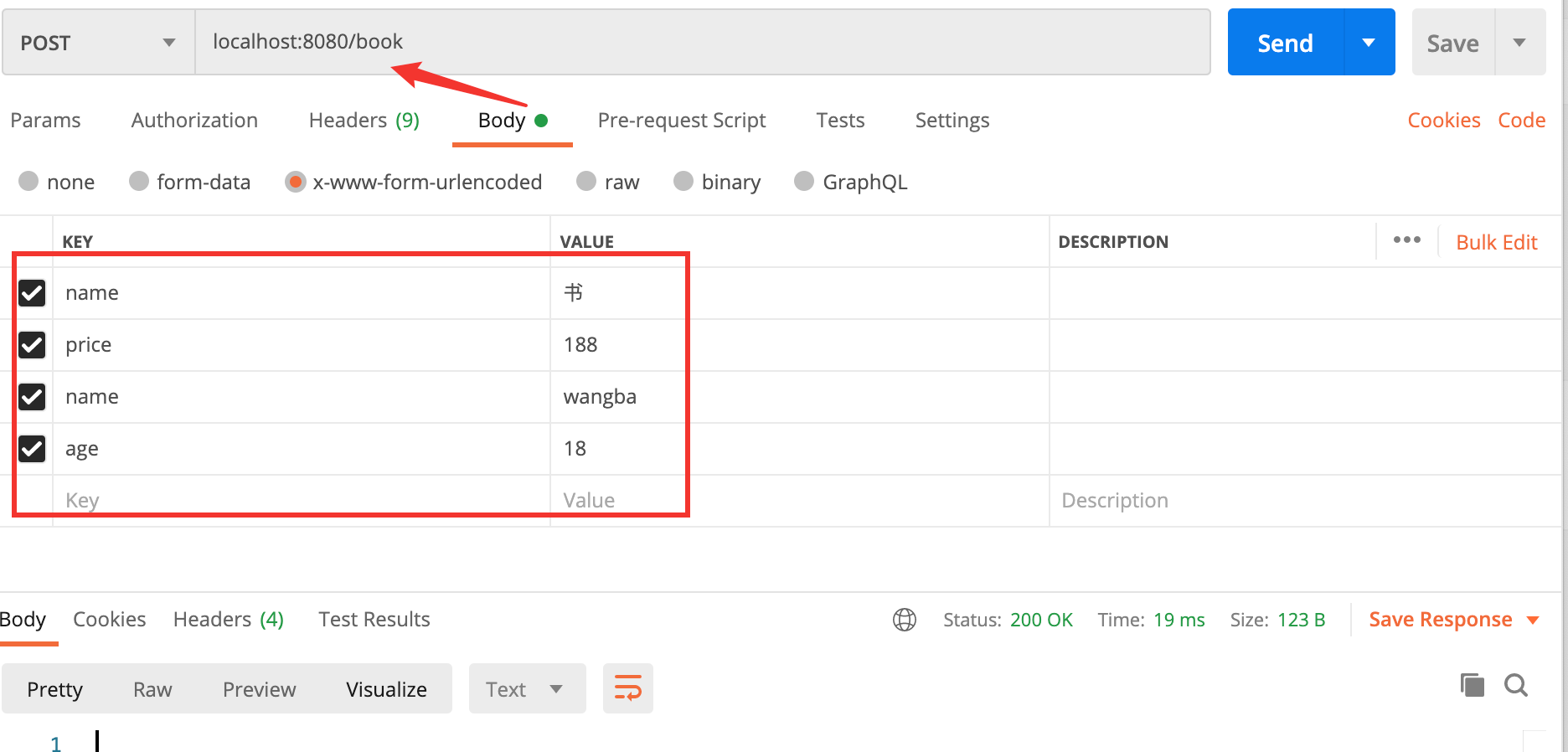
得到最终结果为:

当出现相同参数时,并不能分清楚参数属于哪个对象,只能将参数赋值给每一个拥有相同参数的对象
处理:
Controller:
1
2
3
4
5
6
7
8
9
10
11
| @RestController
public class BookController {
@PostMapping("/book")
public void book(@ModelAttribute("b") Book book,
@ModelAttribute("a") Author author) {
System.out.println(book);
System.out.println(author);
}
}
|
参数配置:
1
2
3
4
5
6
7
8
9
10
11
12
13
| @ControllerAdvice
public class GlobalData {
@InitBinder("a")
public void initA(WebDataBinder binder) {
binder.setFieldDefaultPrefix("a.");
}
@InitBinder("b")
public void initB(WebDataBinder binder) {
binder.setFieldDefaultPrefix("b.");
}
}
|
使用 Postman 进行测试:
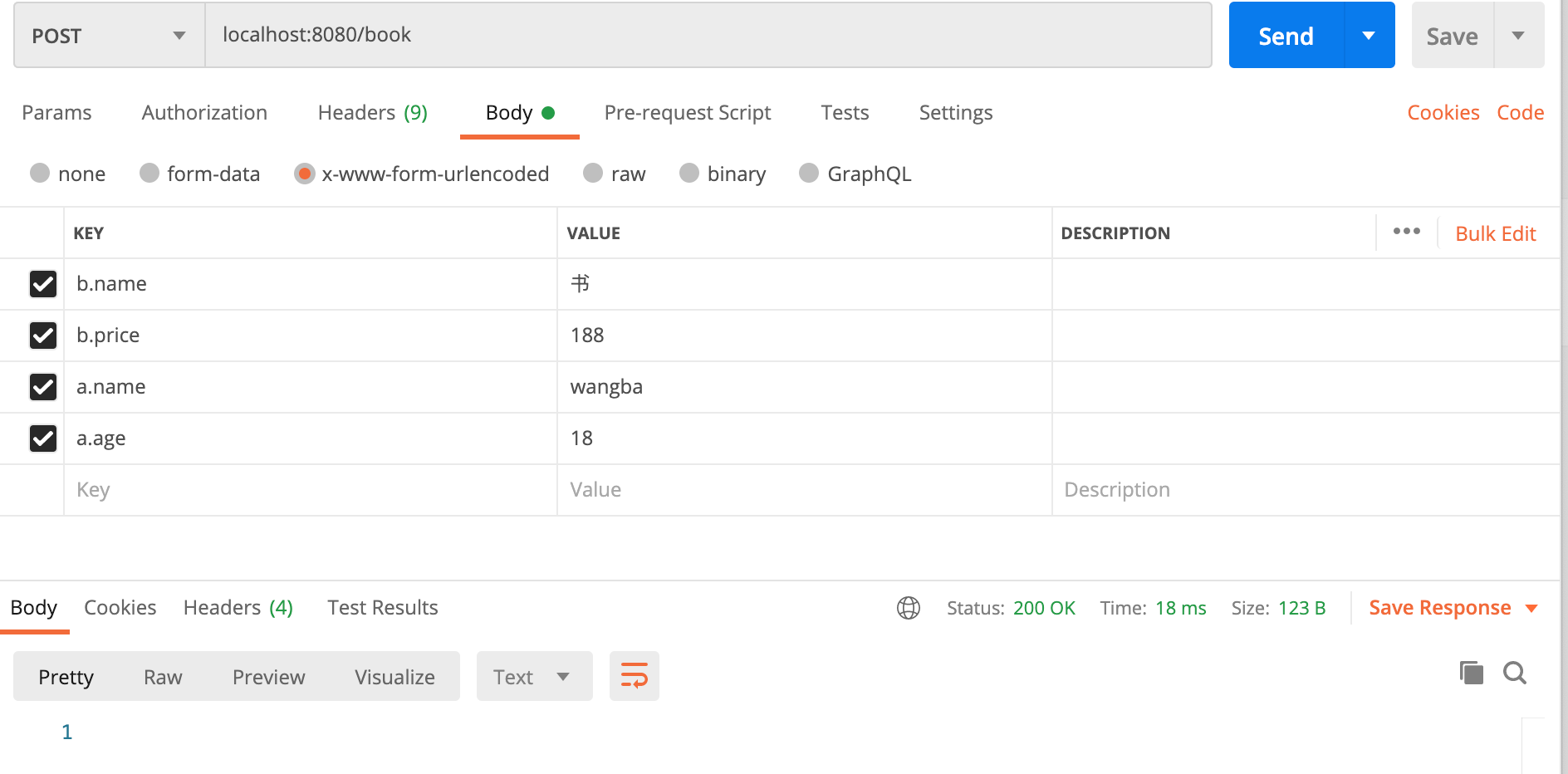
结果:
