一、OverView
面试官:redis 知道吗
🐢:不知道
面试官:你回去等通知吧
Redis是一个使用ANSI C编写的开源、支持网络、基于内存、可选持久性的键值对存储数据库。从2015年6月开始,Redis的开发由Redis Labs赞助,而2013年5月至2015年6月期间,其开发由Pivotal赞助。在2013年5月之前,其开发由VMware赞助。https://zh.wikipedia.org/wiki/Redis#cite_note-5)根据月度排行网站DB-Engines.com的数据,Redis是最流行的键值对存储数据库。 ——–维基百科
我记得我看过一篇讲的非常好的 NoSQL 的文章,下次找到加进来。
增加:关系型数据库与非关系型数据库
二、环境搭建
Redis
首先准备好 redis 的环境,此次 redis 是安装在 Ubuntu 18.04 上的,主要配置如下:
可以使用 sudo vi /etc/redis/redis.conf 命令:
1
2
3
4
5
6
7
8
9
10
11
12
13
14
15
|
supervised systemd
bind 127.0.0.1 ::1
改为
bind 0.0.0.0
protected-mode yes
改为
protected-mode no
requirepass 123456
|
常用命令:
1
2
3
4
5
6
7
8
9
10
11
12
13
14
15
16
17
18
19
20
|
sudo vi /etc/redis/redis.conf
sudo service redis restart
sudo service redis start
sudo service redis stop
redis-cli -p 6379 -a 123456
127.0.0.1:6379> ping
PONG
127.0.0.1:6379> keys *
127.0.0.1:6379> get key的名字
|
pom.xml
1
2
3
4
5
6
7
8
| <dependency>
<groupId>org.springframework.boot</groupId>
<artifactId>spring-boot-starter-data-redis</artifactId>
</dependency>
<dependency>
<groupId>org.springframework.boot</groupId>
<artifactId>spring-boot-starter-web</artifactId>
</dependency>
|
application.properties
1
2
3
4
5
6
7
8
9
|
spring.redis.host=10.2.10.108
spring.redis.port=6379
spring.redis.password=123456
spring.redis.database=0
|
三、测试
RedisController
1
2
3
4
5
6
7
8
9
10
11
12
13
14
15
16
17
18
19
20
21
22
| @RestController
public class RedisController {
private StringRedisTemplate stringRedisTemplate;
@Autowired
public void setStringRedisTemplate(StringRedisTemplate stringRedisTemplate) {
this.stringRedisTemplate = stringRedisTemplate;
}
@GetMapping("/put")
public void test1(String key, String value) {
ValueOperations<String, String> ops = stringRedisTemplate.opsForValue();
ops.set(key, value);
}
@GetMapping("/get")
public String test2(String key) {
ValueOperations<String, String> ops = stringRedisTemplate.opsForValue();
return ops.get(key);
}
}
|
Postman
首先将 redis 清空:

插入:
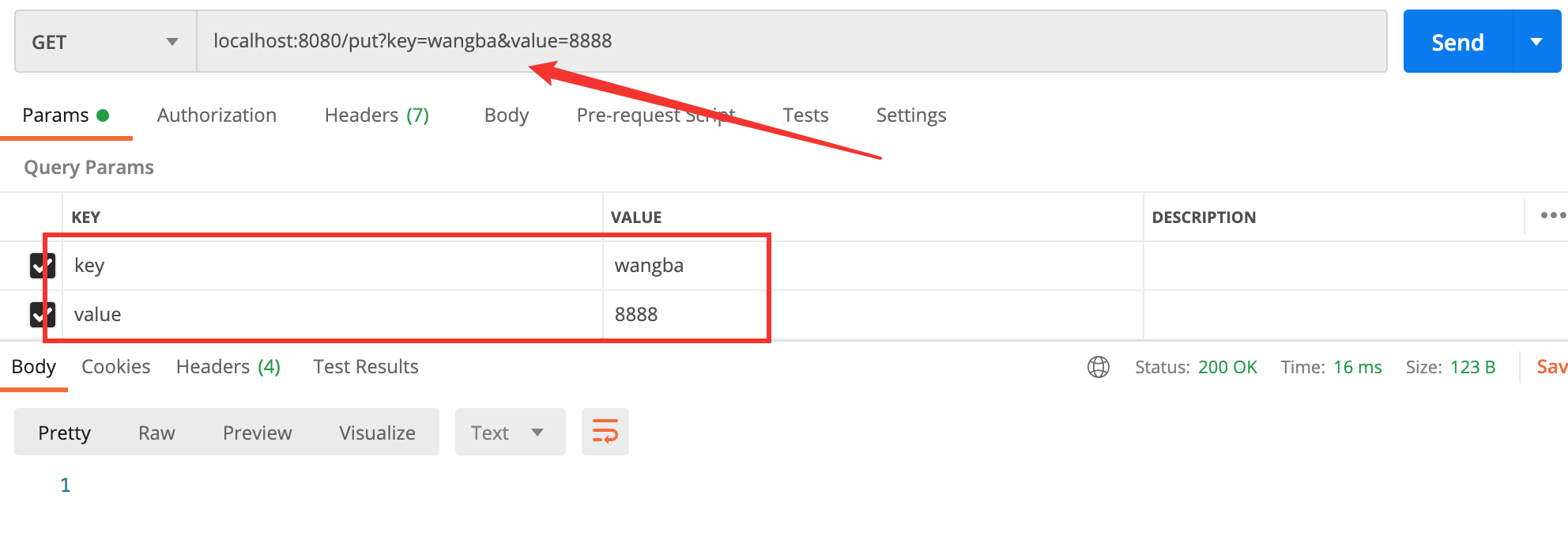
看下 redis 中:

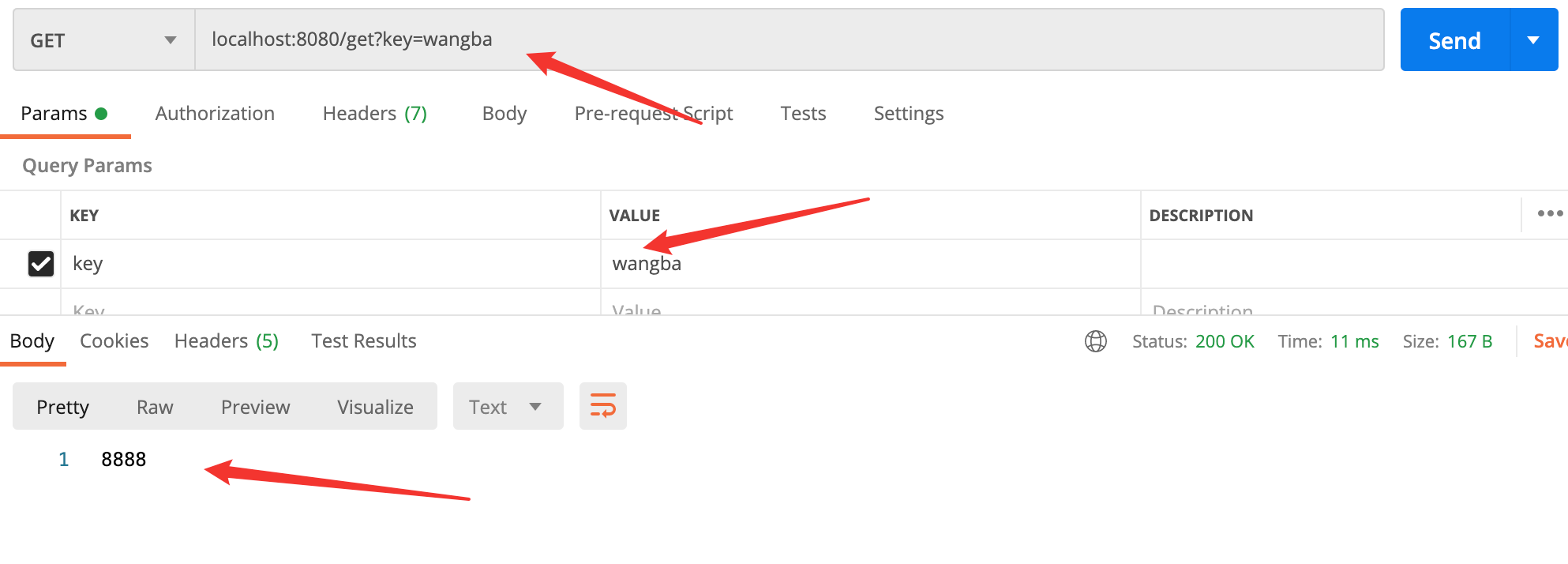
查询: